PST Password Remover for Outlook Data Access
Recover, reset, or remove PST password securely with Shefware PST Password Recovery Tool. Supports encrypted, ANSI, and Unicode PST files for easy access.
Our PST Password Recovery Tool helps users regain access to Outlook PST files in multiple real-world situations quickly and securely.
When you quickly regain access to PST files, users cannot remember the password set on their data files.
Sometimes, you want to open outdated or archived Outlook data files where the password has been lost.
For unlocking the PST files obtained from a third party or any other outside source, without knowing the password.
Permitting users to generate a fresh password or delete the password security permanently for easy access to the PST file.
When your files have been locked after entering the password incorrectly many times, our tool is required.
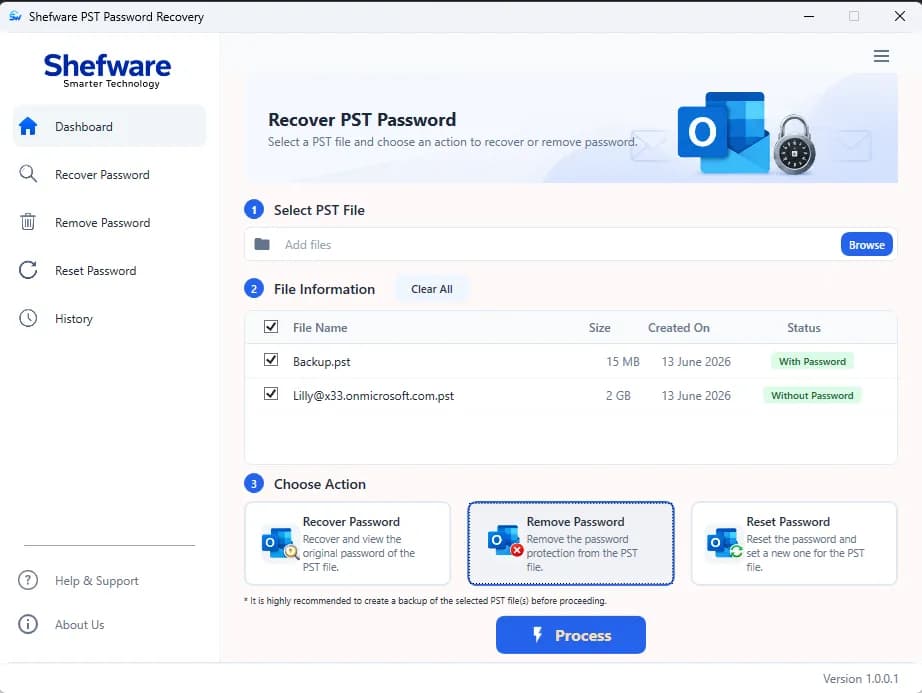
Deleting the password protection from various PST files quickly, without managing them one by one.
To maintain our tool as the best PST Password Recovery Software, we offer a wide variety of advanced recovery and password management features.
We ensure that there is no loss of data during the PST password recovery, and it is beneficial for IT administrators. We provide a bulk PST password Recovery tool for IT admins with no data loss.
The Outlook Password Recovery Tool is designed to support not only lengthy characters but also multilingual characters to create such a password.
Users can completely remove a password from a specific PST file to directly access it without any encryption using the PST Password Remover tool.
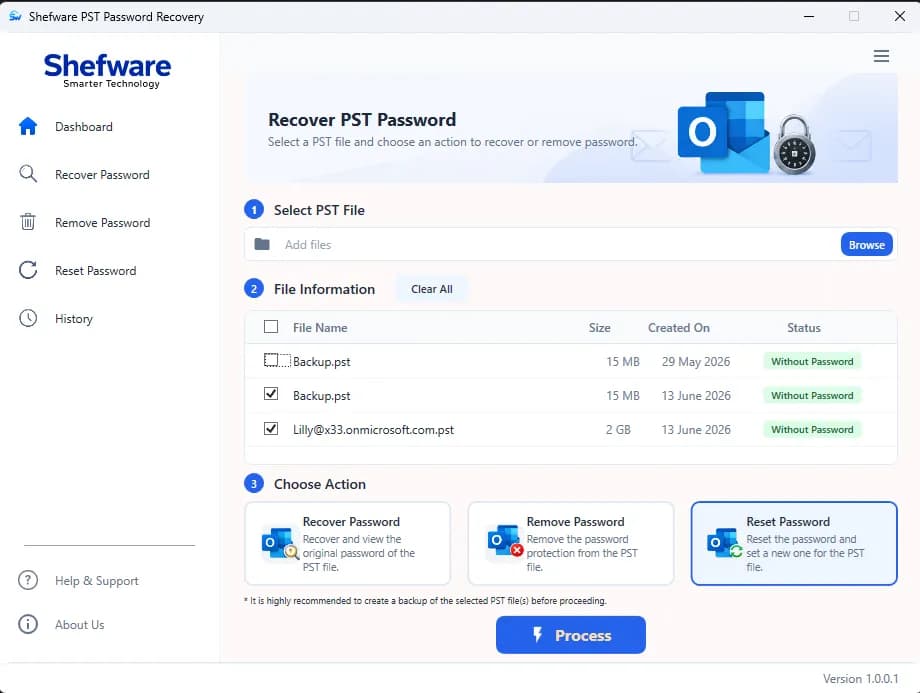
Users can reset the password and set an alternate password using the PST Password Recovery Tool.
Our Password Recovery Tool supports various versions of Outlook, such as 2021, 2019, and all previous versions.
Our demo version offers users to see the initial 4 password characters. Users can avail this offer to test and recover files without actually knowing the password.
Our PST Password Recovery Tool runs on all versions of Microsoft Windows operating systems to recover, remove, or reset the password from the PST files.
Users can get access to the Password-protected PST files by enabling them to restore, remove, and reset the password.
Our PST Password Recovery Tool ensures maximum security, smooth password management, and a user-friendly recovery experience for Outlook PST files.
Our tool offers safe data security for the Outlook file database while altering the password protection that protects data and important components without data loss. The elements include contacts, emails, calendars, appointments, meetings, and more.
The process of password breakage, recovery, and alteration for any PST file is the same for all Microsoft Outlook versions. The upgraded system allows the user to go for it because of supporting encrypted PST files.
The tool is developed for hassle-free use, even if a person does not have a technical background. We offer a fast and error-free process to unlock the Outlook data file and make it accessible.
Watch our step-by-step video tutorial to understand how the software works and get started quickly.
We ensure the best PST Password Recovery Software working process with a simple and secure step-by-step workflow.
Go to any web browser and search for our PST Password Recovery Tool.
Click on Download and install the application in the system.
After opening our tool, a dashboard appears which includes history, support, info, activate, and buy now.
Click on the dashboard and browse the files or directly search the location path of folders and files.
Drag the PST files and drop them into the empty box given.
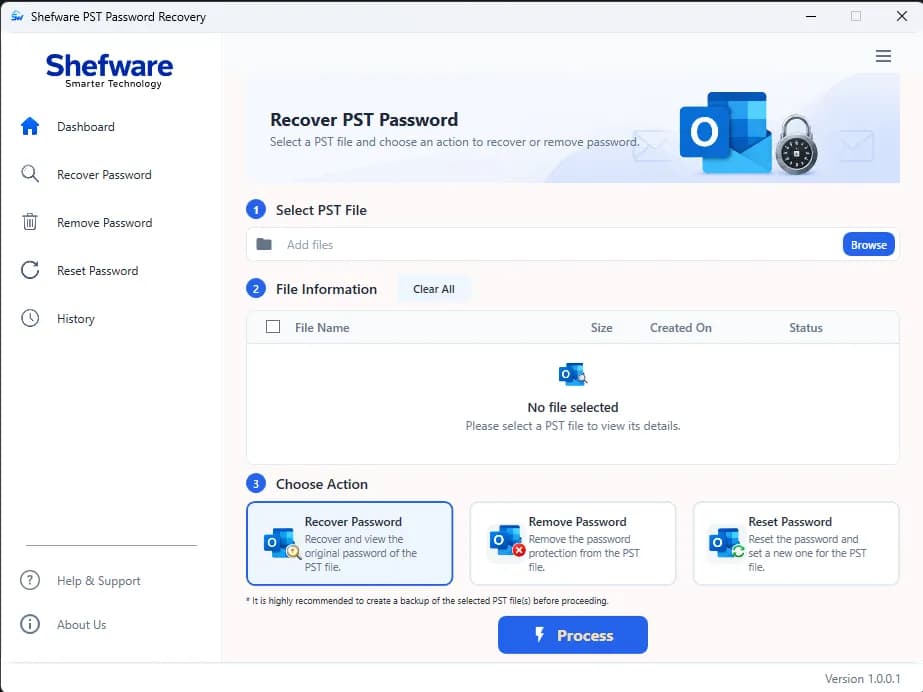
Choose the method to recover the password among Recover Password, Remove Password, and Reset Password.
Click on Process to execute the recovery activity and recover the password according to the given command.
Visit the history section on the dashboard to verify whether the password recovery process is completed or not.
Users can activate their license by entering the key received on their registered email ID.
Download Free Demo & Check System Requirements
Size: 69.73 MB
Version: 1.0.0.1
Hard Disk
500 MB space required
RAM
Minimum 4 GB RAM
Processor
Intel(R) Core(TM) i3-4160 CPU @ 3.60GHz or above
Operating System - Windows 11 / 10 / 8.1 / 8 / 7 (32 & 64 Bit) , Window Server 2025 / 2022 / 2019 / 2016 / 2012 R2 / 2008 R2
Microsoft Outlook - 2021, 2019, 2016, 2013, 2010, 2007, 2003, 2000 (32-Bit & 64-Bit)
I could not open multiple files while working for a client. But PST Password Recovery Software’s bulk recovery feature saved us from a lot of manual work.
IT Support Engineer
Here are some common questions users ask about our PST Password Recovery Tool.
Our tool is the best PST Password Recovery Software because it seamlessly enables users to either recover, remove, or reset their password from Outlook PST files. Users can easily access our software in all Outlook and Windows versions.
We maintain the security of user data and its integrity during the whole process through an encrypted environment.
We show the initial 4 characters of the password recovery in a free trial.
Our PST file Password Recovery Tool is designed to execute the process instantly. Our tool is quick and fast, and recovers the password while maintaining the integrity of the data.
Our PST password Recovery Tool is designed to support Multilingual, special characters, and numerical values regardless of the length.
Yes, our PST Password Recovery Tool supports ANSI and Unicode file formats, and it enables users to recover the PST Password as per their preferred file format.
Our PST File Password Recovery Tool has been created to recover, reset, and remove the password of the PST files instantly. However, to execute the process smoothly, we warn the users to back up their data beforehand. The users, in this way, do not lose their data if the recovery process fails.