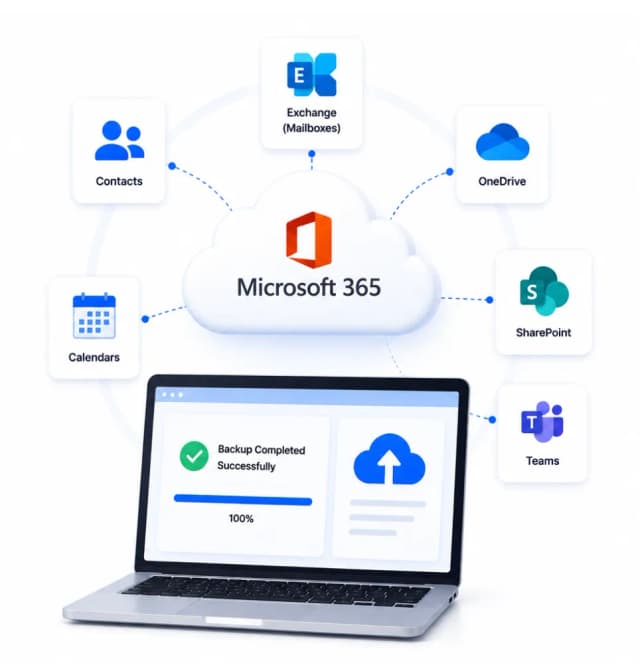
Reliable Microsoft 365 Backup Solution to Protect Your Data
Protect Office 365 data with Shefware Microsoft 365 Backup Tool. Securely backup Microsoft 365 emails, contacts, and documents with reliable Office 365 backup solutions.
★ Office 365 Backup Tool Fully Secured Download Version
Explore powerful features designed for secure Microsoft 365 mailbox backup, migration, and long-term data protection.
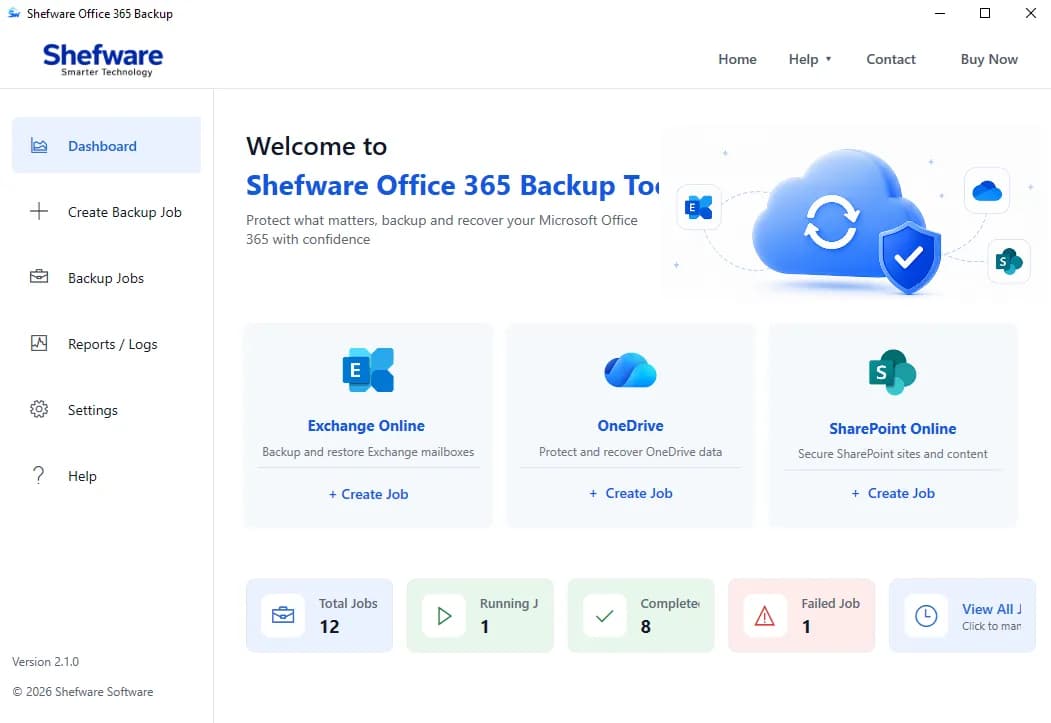
Protect your organization from accidental deletion, cyber threats, and employee offboarding.
Important business emails can be lost due to retention policy changes, account removal or unexpected incident. Regular Office 365 backup ensure data remains secure and safe.
Whenever an employee leaves a company, they require the protection of their mailbox data for future purposes. With the help of the tool, the company can back up its ex-employee data and export mailbox data to PST and other formats.
When employees leave an organization, companies need to preserve mailbox data for future reference. Our software securely backs up and exports ex-employee mailbox data.
Secure your important business and enterprise data across OneDrive, SharePoint, and Exchange with complete backup protection.
Backup Exchange Online emails, contacts, calendars, attachments, and mailbox folders securely.
Securely back up all your important OneDrive business and personal files without data loss.
Protect SharePoint Online documents, sites, libraries, and enterprise collaboration data.
Get familiar with the upgraded features of the Office Backup Tool.
Permits users to protect the data from various Microsoft 365 mailboxes and save it on the local system. We ensure that data items such as emails, calendars, and contacts are backed up safely.
It is easy to export all your outlook backup data offline to any location. The PST file format is supported by all versions of Outlook. It is used to save emails, contacts, and calendars, and is compatible with various Outlook editions.
We assist users in generating multiple backups of Microsoft O365 users in a selected format on your local system. So, there is no requirement to run the tool repeatedly to save the mailbox data every time.
Archives the mailbox data locally in your system and permits users to securely back up archive data to make sure data loss protection, also managing the original folder format and sequence.
For saving the file in the O365 mailbox emails in the PST structure, the tool offers the File naming convention feature. It saves the subject, date, and time. You can manage your emails in a proper way.
It offers all the details transparently. When you perform the backup process, the real-time progress will show on your screen. The details include User ID, emails, Calendars, contacts, and status.
Use the upgraded filters for the backup, which makes the whole process simple. You can use the various filters our tool provides, such as Date range, folder selection, item type, and selective mailbox backup.
Assists in scheduling the time for backup. We offer two options: Immediate Backup and Schedule Time, in which you can select the time and day for the beginning of the backup process.
Before beginning the backup process, you can preview the mailbox data for assurance. It is a very helpful feature because you will be able to see the folder format and hierarchy for future purposes.
The tools offer more than one format to download the Exchange Online mailbox. It supports various formats such as PST, EML, MSG, PDF, CSV, and more. This gives you a wider choice as per your requirement.
Securely backup emails, contacts, calendars, and structural metadata with real-time tracking.
Protects the email naming conventions.
Included Components
Protect your Office 365 mailbox data with enterprise-grade backup security and advanced protection features.
Utilizes safe and secure Office 365 login methods for protected account access and backup functions.
Protect emails, mailbox data, and files during transfer and storage using encryption techniques.
Preview and backup mailbox data without changing or affecting the original Microsoft 365 data.
Maintains folder hierarchy, attachments, metadata, timestamps, and email formatting during backup.
Backup and export your Microsoft 365 mailbox data in a few simple and secure steps.
Start by creating a new job from the dashboard. Fill in the needed source details, including admin information and permissions. We safely and securely authenticate the connection.
Choose the type of data you want to migrate, such as mailboxes or OneDrive files. Apply the advanced filters, like dates and folders, for a precise migration.
Start the process of migration instantly, or you can even schedule a time. Also, monitor the progress and status to ensure everything gets migrated perfectly.
When your backup process gets completed, export your data into PST and various other formats such as PDF, MSG, EML, CSV, and others.
Watch our step-by-step video tutorial to understand how the software works and get started quickly.
Experience secure, reliable, and user-friendly Microsoft 365 backup solutions designed for every business.
Suitable for small businesses, enterprises, and managed service providers with scalable backup support.
Simple and easy-to-use interface designed for both technical and non-technical users.
Provides secure authentication, encrypted backup, and protected storage for complete data security.
Maintains folder hierarchy, attachments, mailbox formatting, and metadata during backup.
Download Free Demo & Check System Requirements
Size: 125 MB
Version: 1.0.0.1
Hard Disk
100 GB space required
RAM
Minimum 8 GB RAM (Recommended 16 GB)
Processor
Intel® Core™ 2 Duo CPU E4600 @ 2.40GHz 2.39GHz or above
Operating System - Windows 11, 10, 8.1, 8, 7, Vista, XP, 2000, 98, NT and 95 and Windows Server 2022, 2019, 2016, 2012, 2008 R2, 2008, 2003 R2, 2003
Prerequisites - Requires Internet Connectivity, .NET 10
Microsoft Office 365 - Enterprise E1 / E3 / E5 / Business Premium / Essentials & Exchange Online Plan 1 / Plan 2 & Office 365 A1 / A3 / A5 / F1
We used the Shefware Microsoft 365 backup process, which was simple and reliable. The tool backs up mailboxes instantly and restores deleted emails without any issues.
IT Manager
Get answers to the most common questions about the Shefware Office 365 Backup Tool.