Office 365 Migration Tool for Secure Email & Data Migration
Perform secure Office 365 migration, Exchange migration, and Microsoft 365 migration with Shefware Office 365 Migrator Tool. Migrate emails quickly without data loss using advanced migration tools.
Reliable, secure and enterprise-ready migration platform
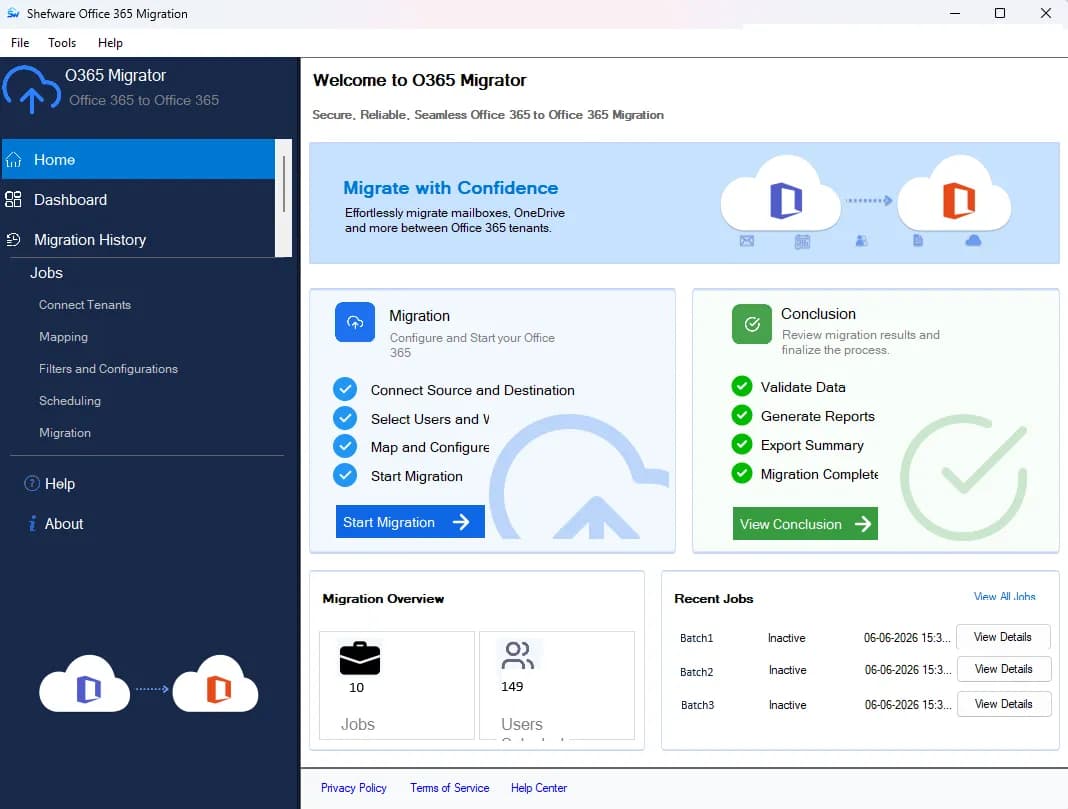
Transfer complete data with the Secure Shefware Tenant to Tenant Migration Tool.
Seamlessly migrate Mailboxes and OneDrive data using the Office 365 migration software.
Monitor and analyze in real time through a user-friendly dashboard within Office 365 migrations.
Save information for instant and repeated migrations using the Office 365 migration tool.
Migrate to Office 365 using Advanced filters for selective mailbox data migration.
Move Emails, Calendars, Contacts, and Tasks using the Office 365 Mailbox migration tool.
Protect mailbox and OneDrive data while maintaining data integrity through the secure Office 365 migrator tool.
Leverage the Office 365 Tenant to Tenant Migration tool to schedule the transfer to limit downtime and service interruption.
Utilize Office 365 data migrator software to monitor history and generate reports.
Migrate shared mailboxes in Office 365, such as emails, attachments, and folders, efficiently.
Download Office 365 Migrator Tool for complete Office 365 tenant to tenant migration.
Shefware O365 Migrator free version allow One Mailbox Migration of 50 items per folder for users to try before purches for insuring a Migration Data Quality.

We ensure safe and secure data transfer through End-to-End encryption, safeguarding the data throughout the M365 migration process
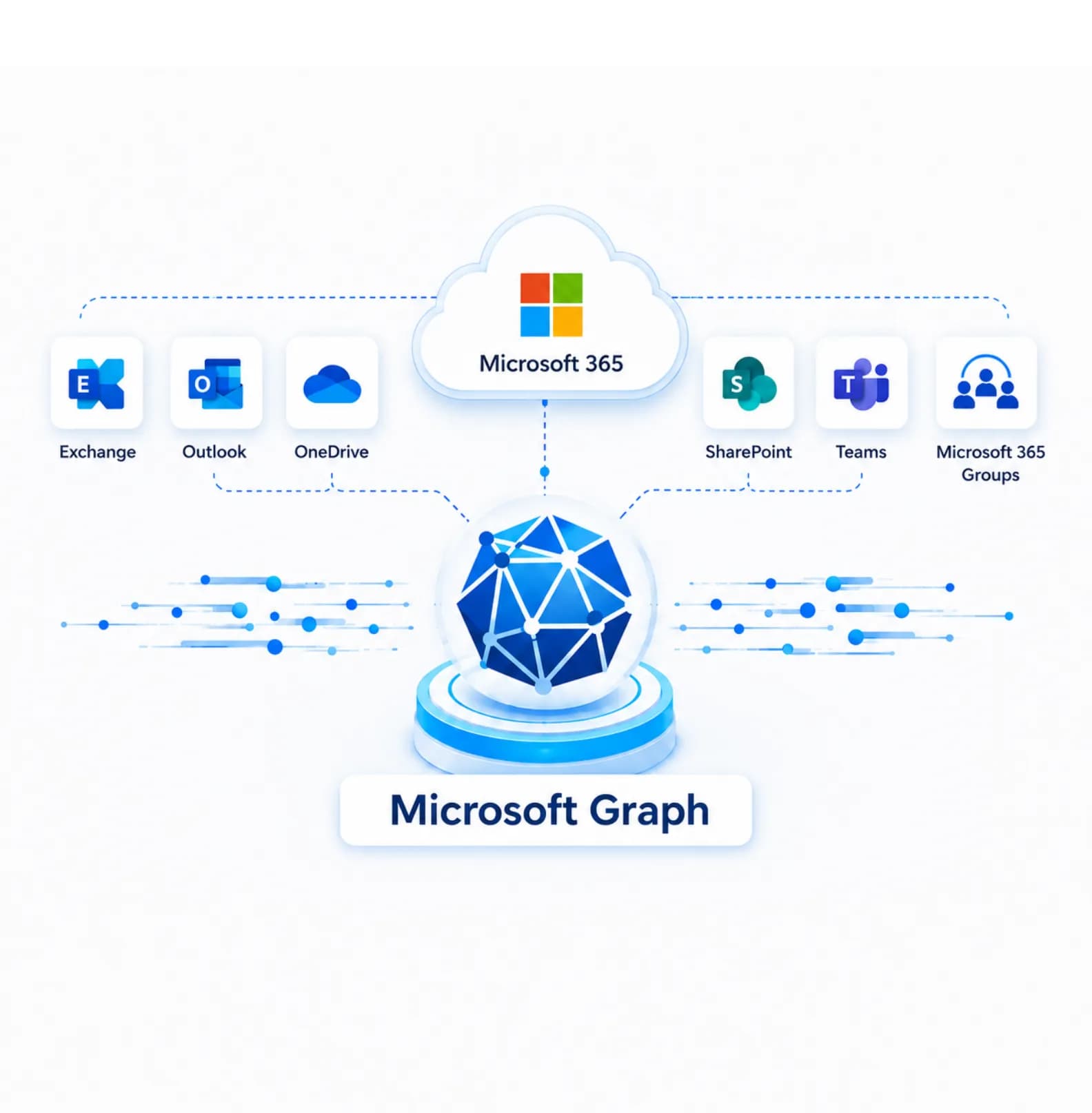
For dependable, reliable, and efficient processing, we utilize the Microsoft API for migration to ensure safety and data integrity.

Offers modern authentication procedures to ensure authorized access and safe migration to safeguard sensitive data.
The data is stored in the user’s system during the migration, and the user's credentials are encrypted to ensure secure.
Powerful and secure migration solutions designed for modern businesses.

Effectively moves all the mailbox data with accuracy:
Emails, Attachments, Tasks, Calendars
Advanced migration filters
Preserves folder hierarchy
Transfers large-sized mailboxes

Transfer cloud storage data safely and securely:
Move OneDrive files and folders
Preserve permissions and structure
Secure data transfer
Handle large-scale migrations
Advanced migration capabilities designed for secure and seamless Office 365 migration
Monitors all migration activities, performance, and jobs from a single dashboard.
Generate, configure, execute, and monitor various migration jobs.
Software save all Tenant connector details as a encrypted from in the migration drive in user PC.
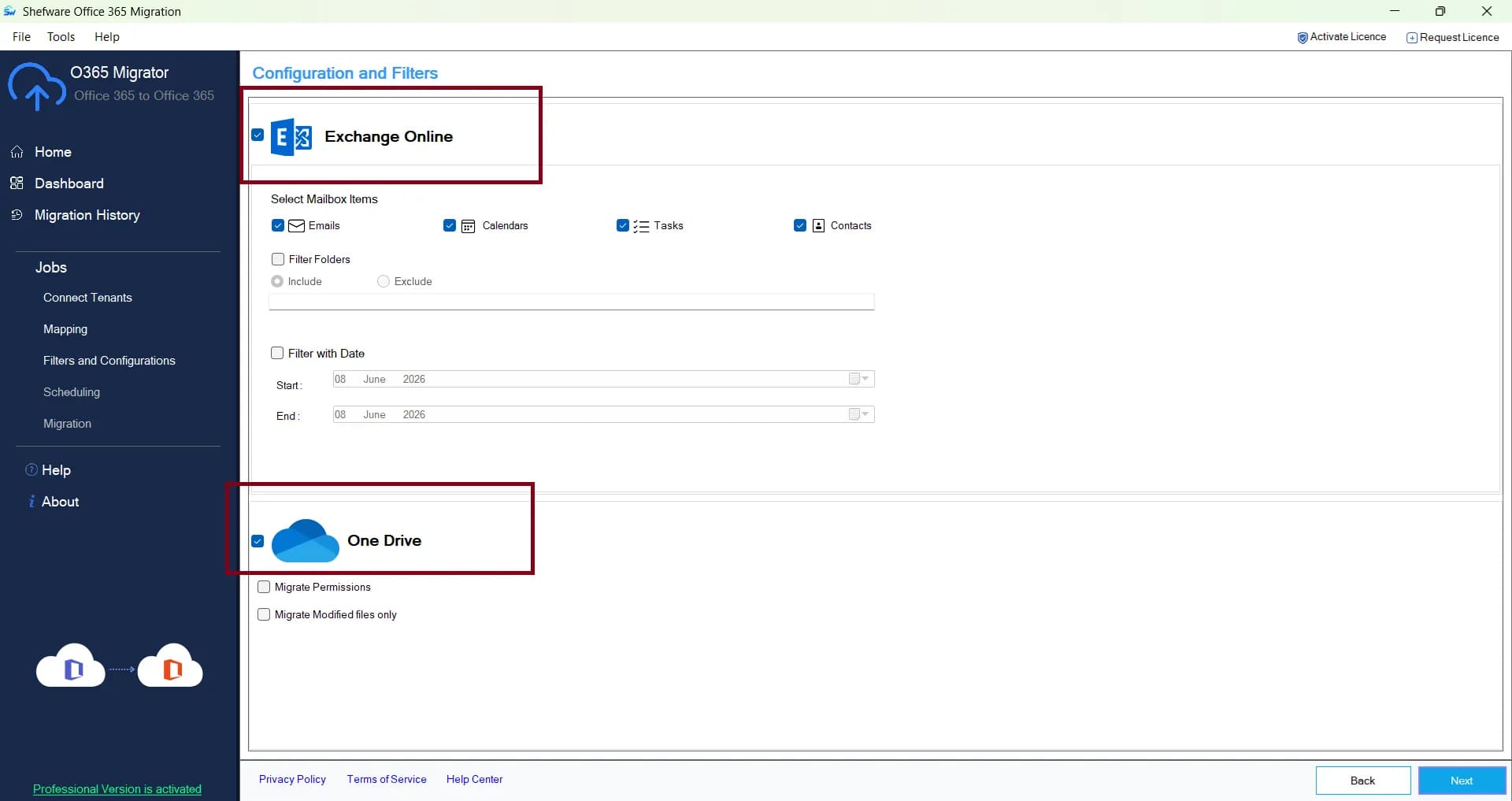
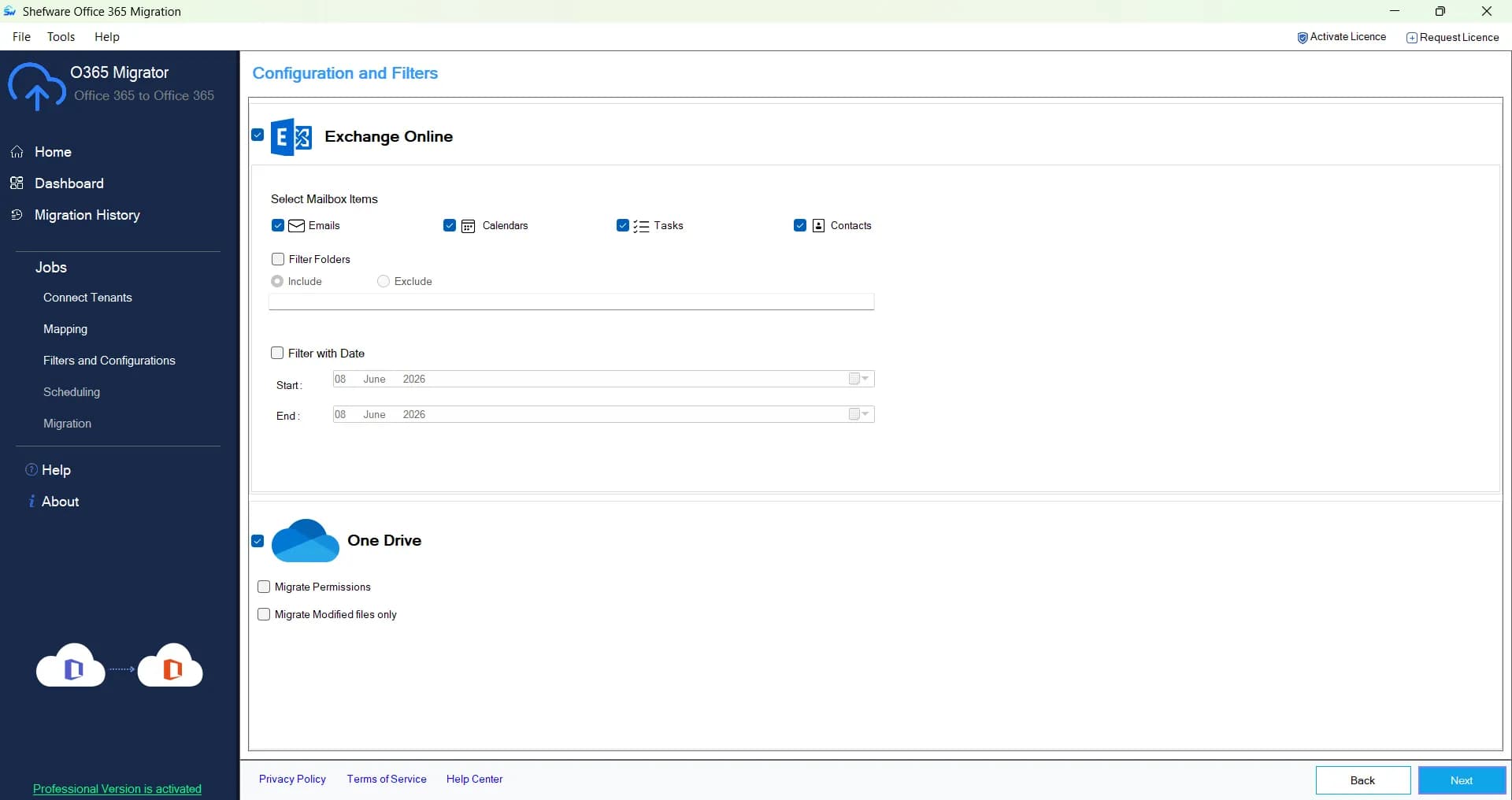
Move the necessary data by applying date filters, include/exclude empty folders, permissions, emails, contacts, calendars, tasks, and modified files only.
Automate migration tasks with flexible scheduling options to ensure data is transferred at the right time using the Office 365 migration tools.
Access detailed logs to monitor, audit, and review all migrations, and view the job and the number of items it has run.
Transfer the data between Microsoft 365 tenants using the Microsoft 365 migration Tool without impacting the environment.
Shefware migration solutions feature a user-friendly interface accessible to non-technical users as well.
Watch our step-by-step video tutorial to understand how the software works and get started quickly.
We ensure complete data migration without any data loss.
Migrate emails with all their metadata with the Office 365 migration tool.
Perform complete O365 migration details from the calendar.
Imports full contact details from all mailboxes.
Migrate all tasks from one account to another with the Office365 migration tool.
Migrate files such as documents, images, and PDFs .
Migrate users one drive data with permission
Click on Start migration to create a new migration job. The job will store all the migration settings, mappings, schedules, and reports. Click on Next.
Enter the source and destination Microsoft 365 tenant details, such as Tenant ID, Client ID, and Client Secret. The tool validates the connection to ensure both environments are accessible for migration.
The tool will automatically map the users between the source and destination tenants. User can either manually assign or upload the CSV File for bulk user assignment.
Apply the required filters to migrate the specific folders. Under the mailbox, filters such as Emails, Calendars, Contacts, and Tasks can be applied. Whereas under OneDrive, filters such as permissions and modified files only.
Choose to migrate immediately or schedule it for later. Click on Start Migration to transfer the data between the source and destination accounts.
Track the migration activity on the dashboard, where the status is displayed. Go to the migration history to verify the data accuracy and results.
Download Free Demo & Check System Requirements
Size: 40.73 MB
Version: 1.0.0.1
Hard Disk
10 GB space required
RAM
Minimum 8 GB RAM (Recommended 16 GB)
Processor
Intel® Core™ 2 Duo CPU E4600 @ 2.40GHz 2.39GHz or above
Operating System - Windows 11, 10, 8.1, 8, 7, Vista, XP, 2000, 98, NT and 95 and Windows Server 2022, 2019, 2016, 2012, 2008 R2, 2008, 2003 R2, 2003
Prerequisites - Requires Internet Connectivity, .NET 10
Microsoft Office 365 - Enterprise E1 / E3 / E5 / Business Premium / Essentials & Exchange Online Plan 1 / Plan 2 & Office 365 A1 / A3 / A5 / F1
Shefware made tenant-to-tenant migration easy. The transparent and clear interface of the dashboard is simple to configure, and the M365 migration process was completed with no data loss.
IT Manager
Shefware Office 365 Migration Tool.
Our Microsoft 365 Migration is a reliable solution that is developed to move data between Microsoft 365 tenants, like mailboxes and OneDrive, with precision and security.
The tool offers the migration of Emails, calendars, contacts, tasks, and OneDrive files and folders.
Yes, the tool offers upgraded filtering alternatives to move only particular data like emails, contacts, calendars, and tasks.
Yes, the tool permits safe and secure automation of details to make it simple and speed up future migration jobs.
Yes, our tool offers a limit of 20 MB file size for a total of 25-30 files in the drive in our demo version. The desktop version depends on the storage capacity purchased.
Users can contact the Shefware team by our email id support@shefware.com.
No, our advanced Shefware Office 365 to Office 365 Migration tool is designed to have fewer frequent service interruptions.
Yes, we enable the transfer of shared mailboxes between the tenant to tenant migration office 365 software.
At Shefware, users have their data transferred safely and securely from one tenant to another with zero downtime.