Transfer PST Files to Microsoft 365 with a Reliable Migration Tool
Import PST to Office 365 Mailbox securely with Shefware PST to Office 365 Migration Tool. Migrate PST files to Office 365, Exchange Online, and Microsoft 365 without data loss.
All data restored during migration is safeguarded, ensuring it is securely transferred to the server without loss or corruption.
User credentials are converted into an encrypted form before the migration begins. Credential details were never stored or exposed during the migration.
The tool is tested in an isolated environment and verified as free from viruses and malicious threats, ensuring a safe and secure download experience.
Preserves the original folder structure and organization of emails during to Microsoft 365 Migration.
Frequent updates to improve usability and ensure smooth transfer of PST Files to Office 365 mailboxes.
Enables users to migrate previously skipped items when the job is run again.
Users can select a specific folder with emails and attachments, or an entire folder, as per user preference.
Use the incremental mode feature to skip any previously migrated files and migrate only new or modified files.
Allows users to create a report after migration in a CSV file format to view the report in detail.
Ensure data integrity is preserved and consistent throughout the migration process with no data loss.
Easily import multiple PST files to Office 365 mailbox using the PST import to Office 365 tool without a PST file size limit Office 365 restrictions.
We ensure complete data migration with zero data loss.
Migrate emails with all their meta properties from PST to Office 365.
Preserved Sub-Elements
Migrate emails with all their meta properties from PST to Office 365.
Preserved Sub-Elements
Download and install the best PST import tool for Office 365 to migrate the entire PST files to Office 365.
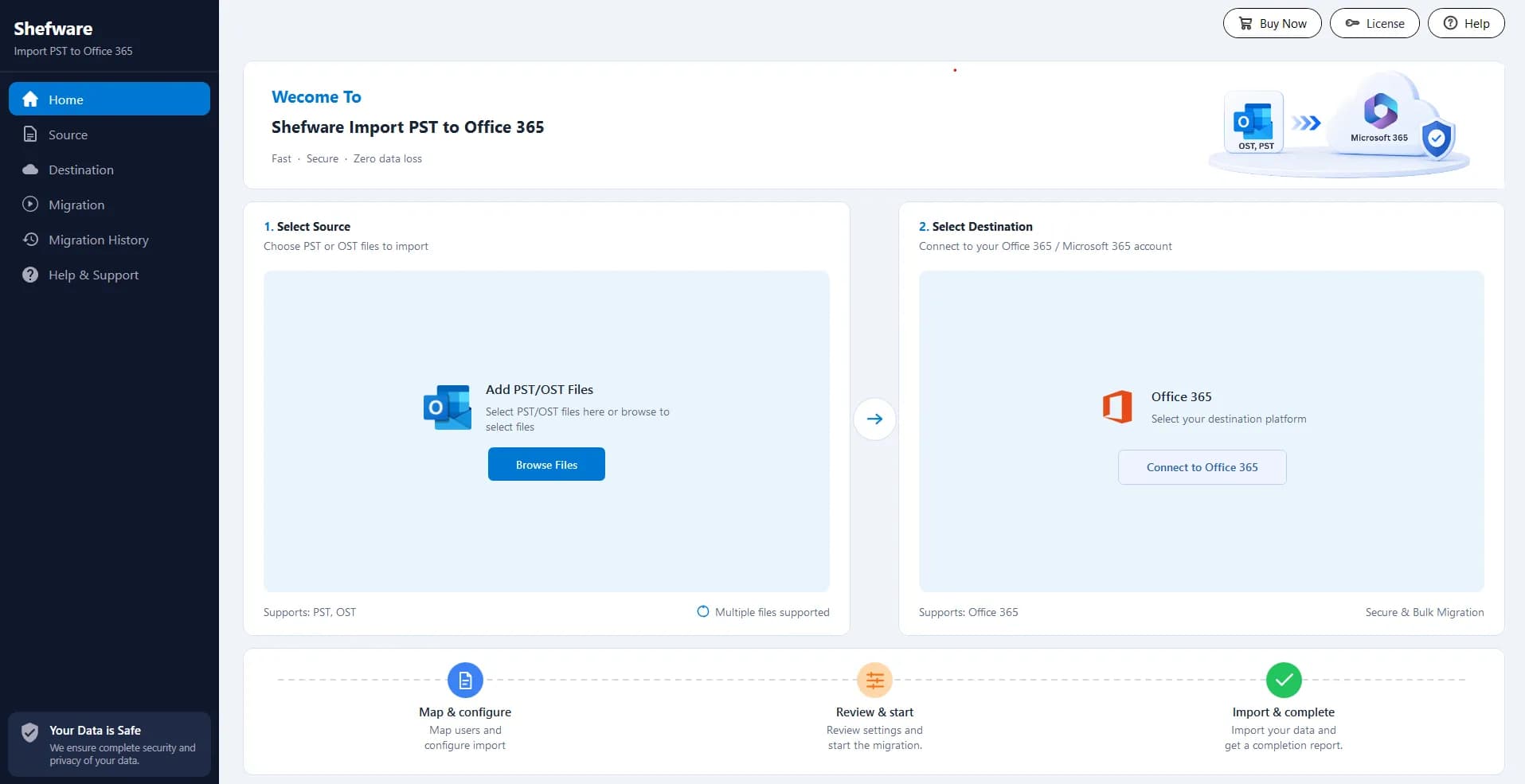
Click on Select Source to upload the PST Files. Similarly, add the destination user by entering the credentials, such as Client ID, Client Secret, and Tenant ID.
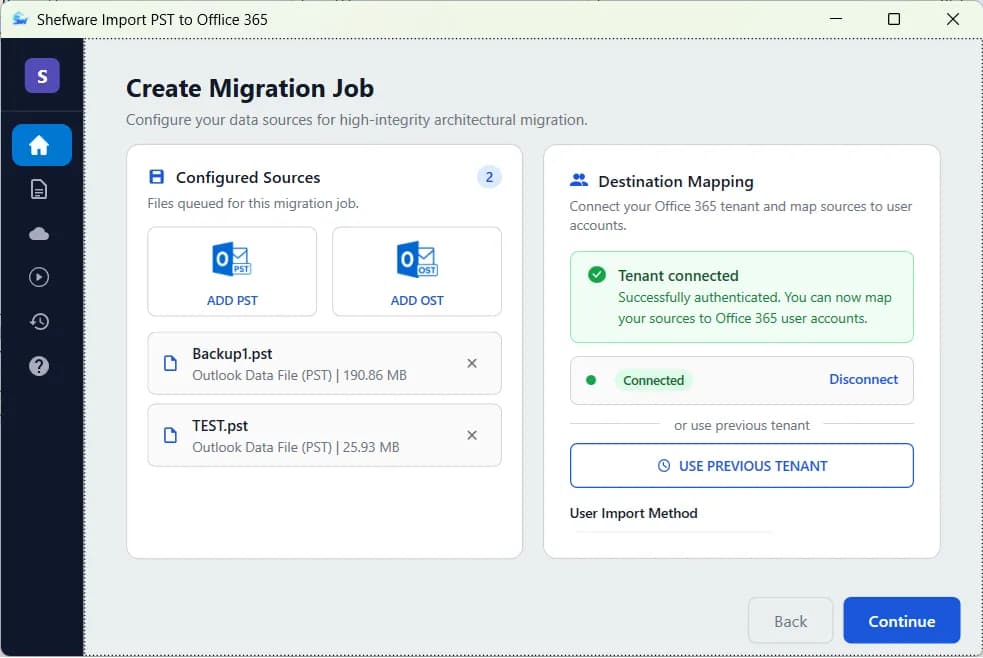
Select All Users to include all users under the specified Tenant ID, or select the Import via CSV. Upload the sample CSV, which contains the required destination users, and click Import from CSV.
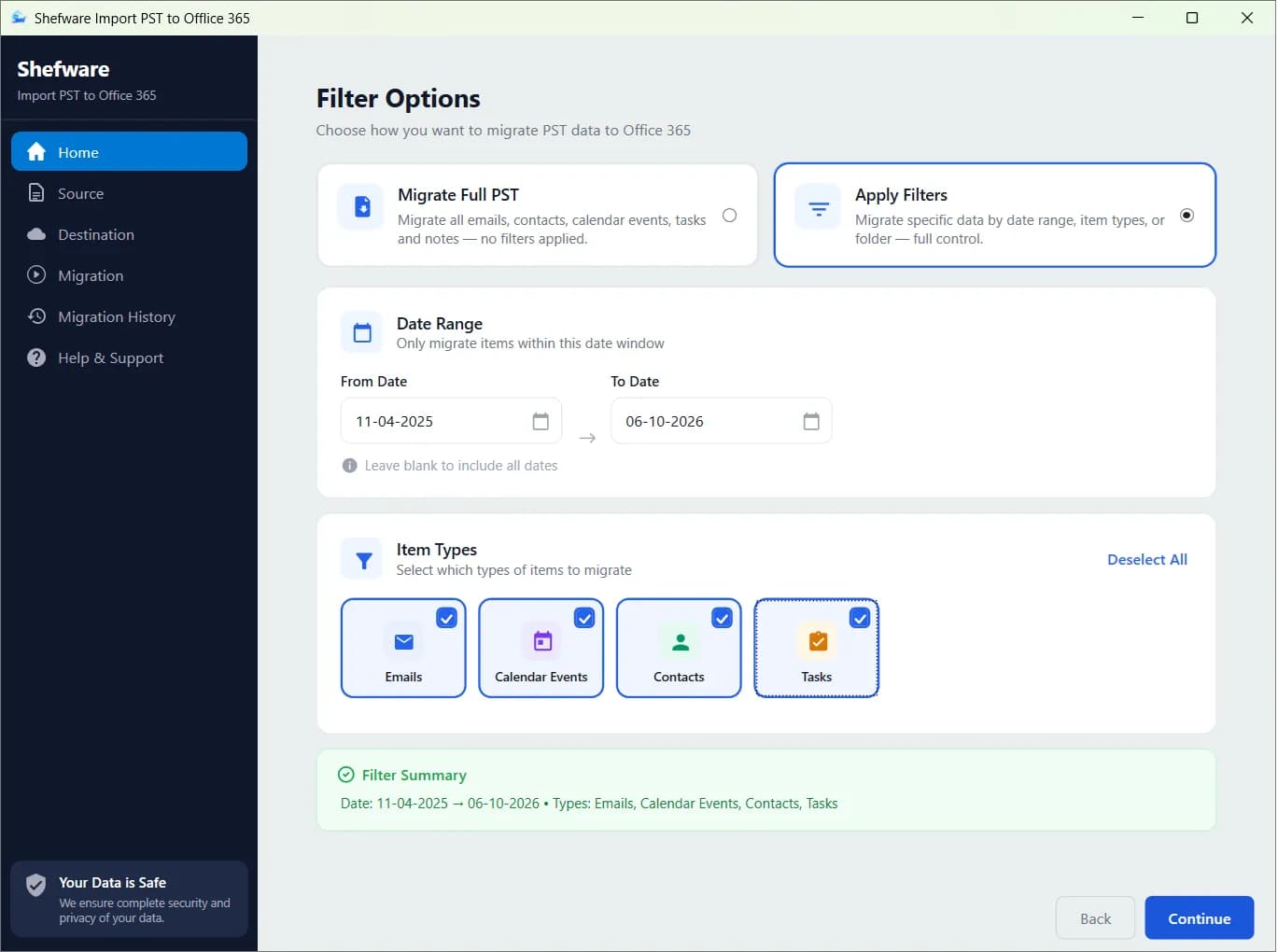
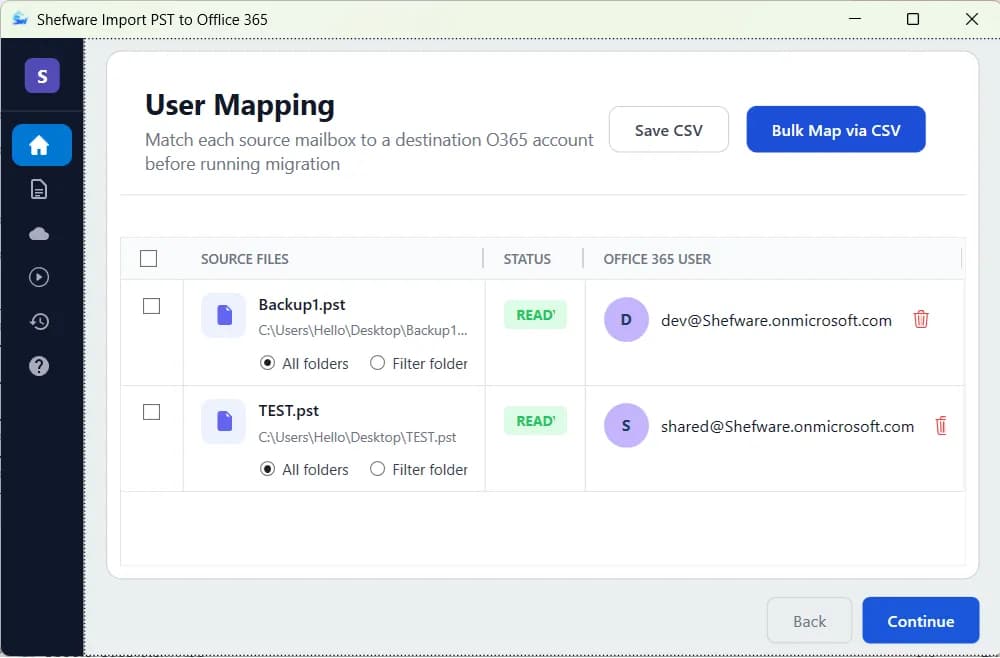
Map PST files to the corresponding Office 365 users manually or select the Bulk Mode(CSV). Upload a CSV containing the user mapping details, including the location of each PST File and its destination user. Apply the required filters if needed.
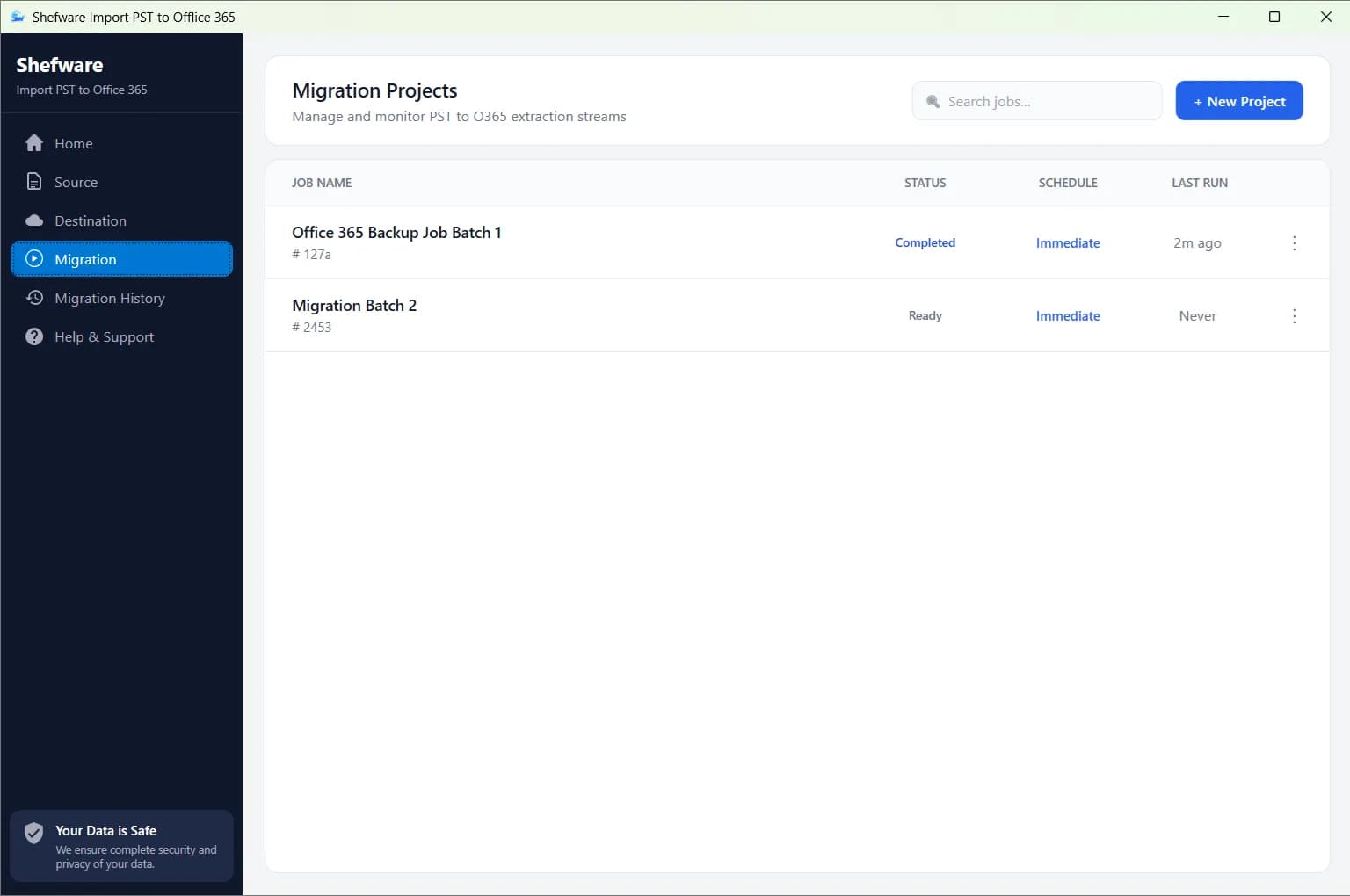
Users can instantly import the PST Files to Office 365 using the Immediate option.Whereas in the Scheduled feature, users can set up a specific date and time based on one-time, daily, weekly, and monthly options. Lastly, create the job name.
Now, click Migrate to start the import process. The tool safely imports PST files into Office 365 without the loss of data. Monitor progress and view detailed reports to ensure data is safely imported to Office 365.

Watch our step-by-step video tutorial to understand how the software works and get started quickly.
Download Free Demo & Check System Requirements
Size: 16.73 MB
Version: 1.0.0.1
Hard Disk
10 GB space required
RAM
Minimum 4 GB RAM (Recommended 16 GB)
Processor
Intel® Core™ 2 Duo CPU E4600 @ 2.40GHz 2.39GHz or above
Operating System - Windows 11, 10, 8.1, 8, 7, Vista, XP, 2000, 98, NT and 95 and Windows Server 2022, 2019, 2016, 2012, 2008 R2, 2008, 2003 R2, 2003
Prerequisites - Requires Internet Connectivity, .NET Framework 4.7 or later
Microsoft Outlook - 2021, 2019, 2016, 2013, 2010, 2007, 2003, 2000 (32-Bit & 64-Bit)
Microsoft Office 365 - Enterprise E1 / E3 / E5 / Business Premium / Essentials & Exchange Online Plan 1 / Plan 2 & Office 365 A1 / A3 / A5 / F1
I was seeking a dependable solution to move multiple PST files into Office 365, and I was really impressed by Shefware. The mailbox filtering options made the process simple.
Project Manager