Move On-Premises File Storage to SharePoint Without Losing Data.
Shefware File Shares to SharePoint Tool securely migrates files and folders from local file servers to SharePoint while maintaining the original folder structure. It supports selective and bulk File Server Data Migration from any file shares to SharePoint in Microsoft 365.
★ Try to migrate 25 Documents to SharePoint Online Free.
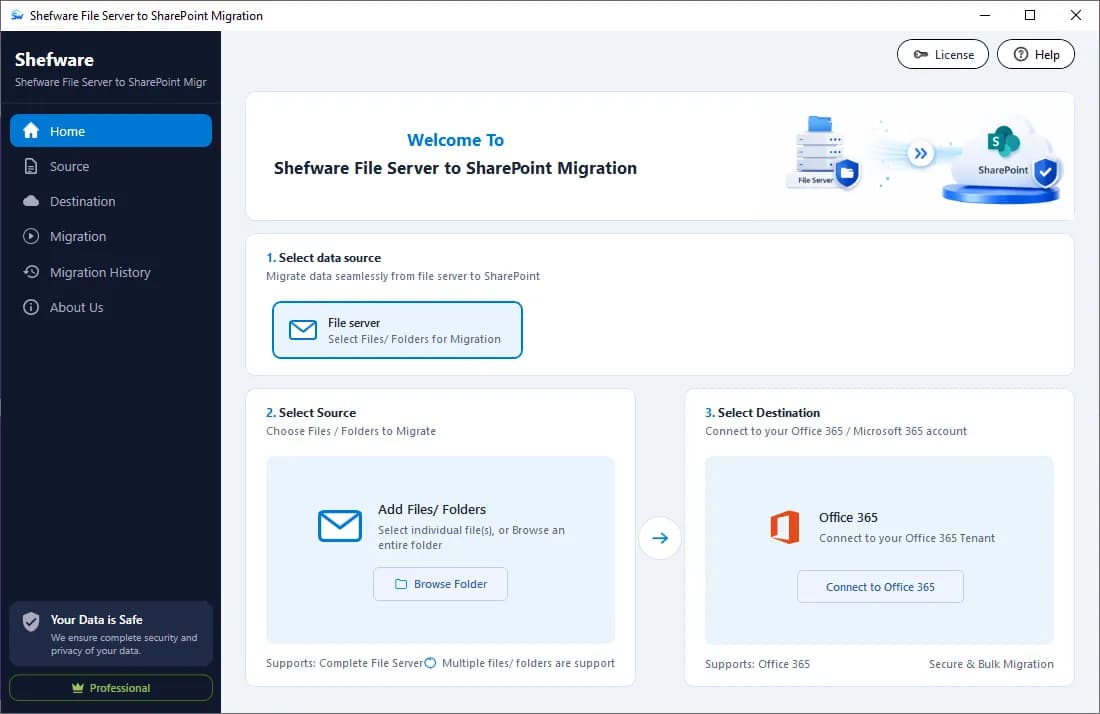
Migrate File Server to SharePoint Online and maintain the original folder hierarchy.
Perform secure Cloud File Migration by moving files and folders from On-premises File Servers to SharePoint Online.
Move shared content from Network File Share to SharePoint Online multiple sites and Library.
Import bulk documents to SharePoint Document Library while maintaining the existing folder structure.
Move data from desktop to Sharepoint Library with Support incremental SharePoint Online File Migration.
Restore files from SharePoint backup data to SharePoint with incremental migration for new or updated data while skipping duplicates.
Schedule migration jobs to run at a preferred date and time using this SharePoint Migration tool.
Migrate File Share to Team Sites and monitor migration jobs and view the current progress and status.
Generate detailed migration logs and reports to analyze successful and failed migrations.
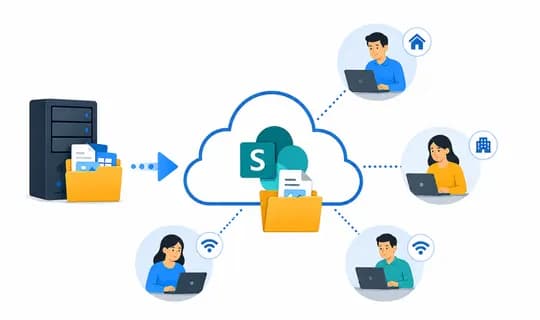
Perform On-Premises File Server Migration to SharePoint Online and provide unified access to business files for remote and hybrid teams.
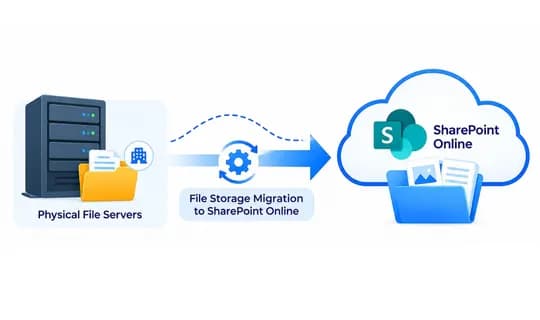
Simplify File Storage Migration to SharePoint by moving business data from physical File Servers to SharePoint Online.
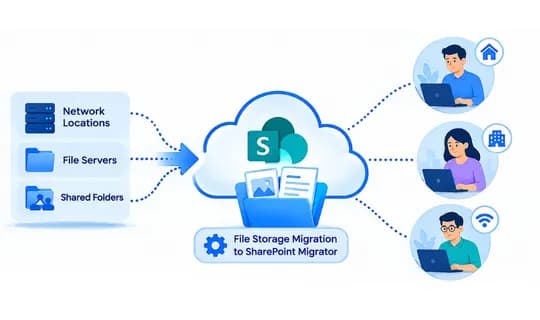
Move files and folders from multiple network locations into SharePoint Online for simple management with the File Storage Migration to SharePoint Migrator tool.
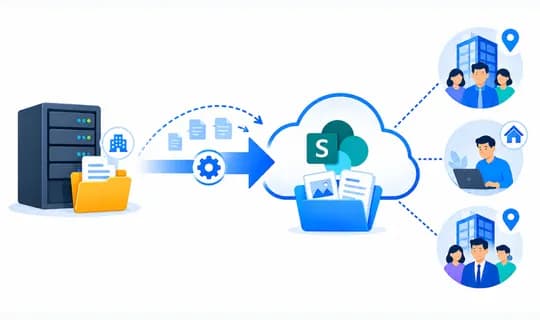
Perform Enterprise File Server Migration to expand teams, open new locations, or restructure departments for unified access.
Migrate bulk files from the File share to SharePoint Online using file server migration tool.
The Shefware SharePoint File Upload Tool move folders and nested folders while maintaining the original folder hierarchy.
Transfer shared business folders from the File Server to SharePoint Document Library.This Tool also allow NAS Drive to Sharepoint migration.
Move files and folders stored from Network Drive to SharePoint Online while maintaining the existing folder hierarchy.
Migrate data from mapped network drives to the SharePoint Online location with the help of the File Server Migration tool.
Transfer HR, Finance, Sales, Marketing, and other departmental folders to SharePoint libraries of multiple Sites.
Migrate files, folders, documents, and other supported data from a Local Disk, NAS Drive, and Network Share to SharePoint Online while maintaining the existing folder organization.
Move shared business content through a Network File Share to SharePoint Online while preserving the original folder structure.
Perform SharePoint Online File Migration by moving only new or updated data and skipping previously migrated data with the incremental migration feature.
Move File Server to SharePoint Online while maintaining the original files, folders, and subfolders.
Schedule File Server migration jobs for a preferred date and time to manage data transfers with Network File Share to SharePoint migration software.
Perform the Windows File Server to SharePoint migration on all major versions of Windows Operating Systems such as Windows 11, 10, 8, Vista, XP, etc.
Download, install, and launch the Shefware File Server to SharePoint Online Migration Tool on your system.
Browse and choose the files, folders, and network shares that will be migrated.
Connect the Microsoft 365 account to the source and destination accounts to migrate the data.
Map the source account to the SharePoint Online destination to ensure accurate data migration with the File Storage Migration to SharePoint tool.
Enter the job name, configure the required migration options, and run the migration immediately or schedule it for a preferred date and time.
Start the migration job and monitor the progress and status. Review the migration jobs and reports to verify the results.
Track migration progress and create detailed reports to verify successful and failed migration jobs with the File Share Migration to SharePoint Online tool.
Perform secure Office 365 File Migration from a file server to SharePoint Online without any data loss.
Run migration jobs immediately or schedule them for a preferred date and time according to business requirements.
The software is fully compatible with major Windows Operating System versions for easy data management across businesses.
| Features | Free Trial | Full Version |
|---|---|---|
| Migrate Files and Folders | ||
| File Server to SharePoint Online Migration | ||
| Selective Data Migration | ||
| Bulk Data Migration | Limited | |
| Network File Share Migration | ||
| Preserve Folder Hierarchy | ||
| Incremental Migration | ||
| Migration Scheduling | ||
| Migration Monitoring | ||
| Detailed Logs and Reports | ||
| Full Data Migration | ||
| Unlimited Migration Usage | ||
| Technical Support | Limited |
Test and evaluate the software before purchase. The demo version migrates up to 25 files from a single SharePoint site, with each file up to 20 MB.
Download Free Demo & Check System Requirements
Size: 25.00 MB
Version: 1.0.0.1
Hard Disk
10 GB space required
RAM
Minimum 8 GB RAM (Recommended 16 GB)
Processor
Intel® Core™ 2 Duo CPU E4600 @ 2.40GHz 2.39GHz or above
Operating System - Windows 11, 10, 8.1, 8, 7, Vista, XP, 2000, 98, NT and 95 and Windows Server 2022, 2019, 2016, 2012, 2008 R2, 2008, 2003 R2, 2003
Prerequisites - Requires Internet Connectivity, .NET 10
Microsoft Office 365 - Enterprise E1 / E3 / E5 / Business Premium / Essentials & Exchange Online Plan 1 / Plan 2 & Office 365 A1 / A3 / A5 / F1
Shefware made the entire File Server to SharePoint Online migration without any data loss. We moved the business files and folders while keeping the original folder structure.
IT Administrator
Shefware File Server to SharePoint Online Migration Tool transfers files, folders, and shared folders from File Servers to SharePoint Online while maintaining the original folder hierarchy.
Yes, the tool supports Network File Share to SharePoint migration and enables you to move files and folders from network file shares to SharePoint Online.
Yes, during SharePoint File Migration, the software maintains the original files, folders, and subfolder hierarchy at the destination.
Yes, the software has an incremental migration feature that transfers new and updated data while skipping the original folder hierarchy.
Yes, you can migrate your data immediately or schedule the date and time to run the migration job based on the requirements.
Yes, you can easily track and monitor the status of successful and failed migrations and export the reports locally.
Yes, the tool can easily migrate bulk data transfers and can be used to move large collections of files and folders from FileShare to SharePoint Online.
The software supports all versions of Windows Operating Systems, such as Windows 11, 10, 8, Vista, XP, etc.