Merge multiple CSV files into one file with no data loss.
Combine multiple CSV files into a single CSV file with the Shefware CSV Merge Tool. It safely merges CSV files while preserving rows, columns, headers, delimiters, special characters, and data format.
★ Try Free Demo Version to evaluate the CSV merge quality and performance.
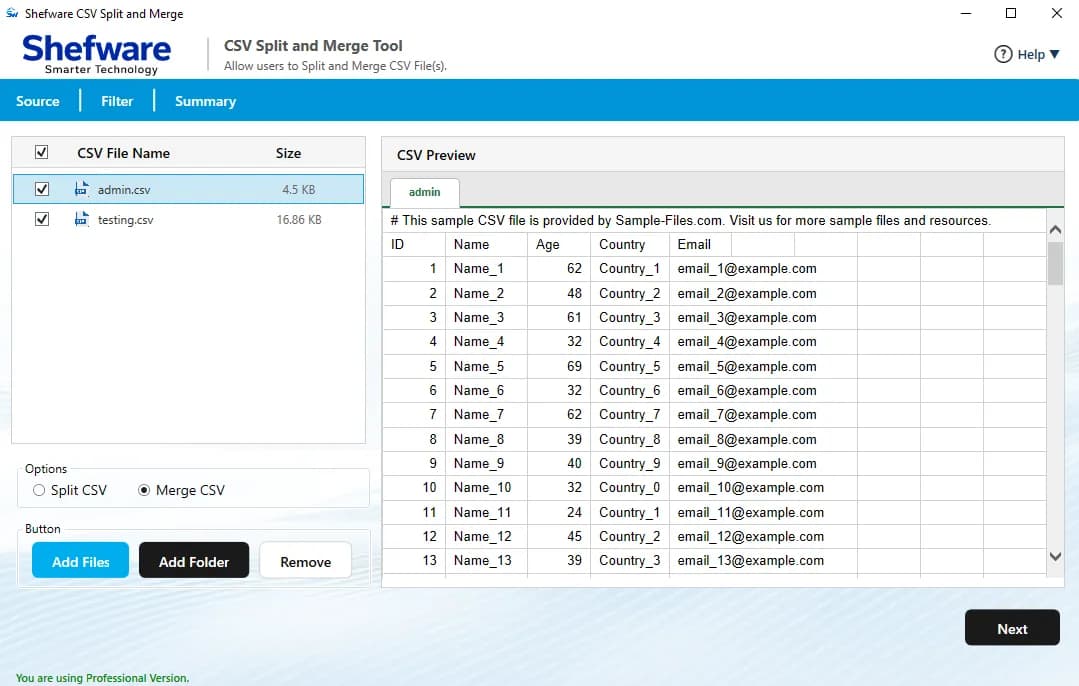
Merge multiple CSV files into a single CSV file in a few clicks.
Batch merge unlimited CSV files and folders in one go.
Protect column structure, headers, delimiters, and formatting.
Preview CSV files before beginning the merge process.
Assists large CSV files with no size restrictions.
Save your merged CSV file at any local or network location.
Supports multiple CSV file platforms, including Excel, Google Sheets, and web applications.
Offers advanced merge modes: select primary file, single worksheet, and individual worksheet.
Compatible with all Windows versions.
Choose one CSV file as the master file. The tool merges every other file based on its column structure, ensuring accurate and consistent output.
Merge all selected CSV files into a single worksheet, creating one consolidated dataset that is easy to manage and analyze.
Merge the selected CSV files into separate worksheets within one workbook, keeping each file's data organized while gathering everything in one place.
Many businesses create separate CSV reports daily. Instead of manually copying data into one spreadsheet, merge all daily reports into a single CSV file for easy analysis and record management.
Companies often export customer details from CRM systems, marketing platforms, websites, and billing applications into separate CSV files. The tool combines them into one file, making customer management simple.
Database exports are frequently divided into multiple CSV files because of size limitations. The tool combines all exported files into a single CSV while maintaining the original structure and field order.
Business intelligence and reporting tools work better with a single dataset. Merge multiple CSV files before importing them into Power BI or other analytics platforms, instead of merging CSV files in Excel.
Merge multiple CSV files into a single file in one go. Simply add individual files or an entire folder to save time and eliminate manual data consolidation.
Choose from Select Primary File, Single Worksheet, or Individual Worksheet based on your requirements. These flexible merge options help organize data exactly the way you need.
Preview the contents of every CSV file before starting the merge process. Verify rows, columns, and records to ensure you're combining the correct files.
Merge CSV files exported from Microsoft Excel, Google Sheets, CRM applications, ERP systems, databases, accounting software, and other business applications without compatibility issues.
Process both small and large CSV files efficiently. The software merges unlimited-sized CSV files while maintaining data accuracy and performance.
Save the merged CSV file to any preferred location, including your local drive, external storage device, or a shared network folder for easy access and organization.
Instead of selecting files one by one, simply add an entire folder containing CSV files. The software automatically detects and merges all supported files, making bulk processing faster.
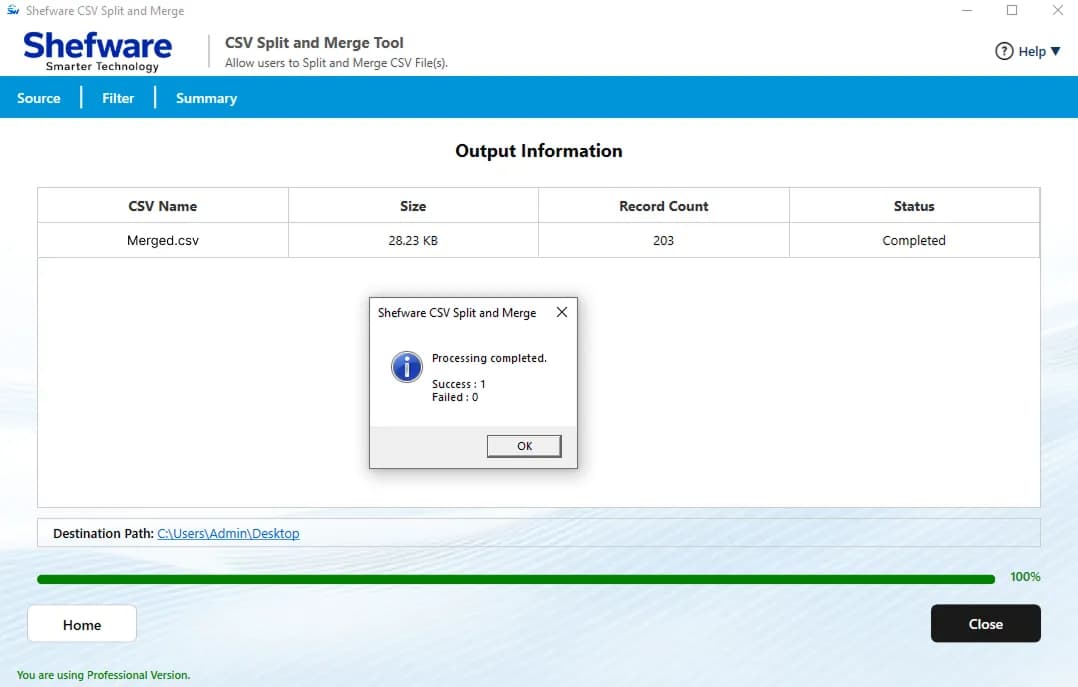
Monitor the merge process with a live progress indicator and review completed merge operations through the history panel, making it easy to track previous tasks.
Launch the software and click Add Files or Add Folder to import your CSV files.
Preview the selected CSV files and verify the data before merging.
Select the preferred merge option and configure the required settings.
Click Browse and choose the folder where you want to save the merged file.
Click Merge to combine all selected CSV files into a single output while preserving the original structure.
Once the process is complete, open the destination folder to view the merged CSV file.
Runs smoothly on Windows 11, 10, 8.1, 8, 7, and Windows Server without requiring additional software.
Maintains the original rows, columns, headers, delimiters, and formatting throughout the merge process.
Avoid the time-consuming process of merging CSV files in Excel with an automated solution.
Merge CSV files locally on your computer without uploading data to any server.
| Features | Free | Full |
|---|---|---|
| Merge CSV Files | ||
| Batch Merge Multiple CSV Files | ||
| Preview CSV Files | ||
| Three Advanced Merge Options | ||
| Supports Multiple CSV Platforms | ||
| Merge Large CSV Files | ||
| Add Files & Folders | ||
| Flexible Output Save Options | ||
| Merge Progress & History | ||
| Preserve Original Data Structure | ||
| Secure Offline Processing | ||
| Number of Items Merged | 25 Items per CSV File | Unlimited |
| Technical Support | Limited | 24x7 Priority Support |
| Software Updates | Limited | Free Updates |
| License Validity | Trial Version | Lifetime License |
Download Free Demo & Check System Requirements
Size: 236 MB
Version: 1.0.0.1
Hard Disk
1 GB space required
RAM
Minimum 4 GB RAM (Recommended 8 GB)
Processor
Intel® Core™ 2 Duo CPU E4600 @ 2.40GHz 2.39GHz or above
Operating System - Windows 11, 10, 7(64 bit), Windows Server 2025
Prerequisites - .NET Framework 10
Shefware CSV Merge Software helped us combine hundreds of daily sales reports into one CSV file within minutes. The software maintained every column perfectly, and the batch merge feature saved hours of manual work.
Data Analyst