A Professional JSON Converter for Windows For Accurate JSON Data Conversion.
The Shefware JSON Converter software is a simple solution to convert JSON files offline into multiple formats while maintaining the original data structure and accuracy. The Windows JSON Converter tool ensures consistent data conversion without changing the fields, values, or information. It makes the JSON files easier to access, manage, and use.
★ Try the free JSON Converter download offers conversion of 10 records from each file in the demo version.
Shefware JSON Converter allows users to view and read the JSON data before the conversion process. This makes it easier to review the data and verify and analyze the information. Users can review the available data and understand how the information is organized, and check complex or nested JSON content.
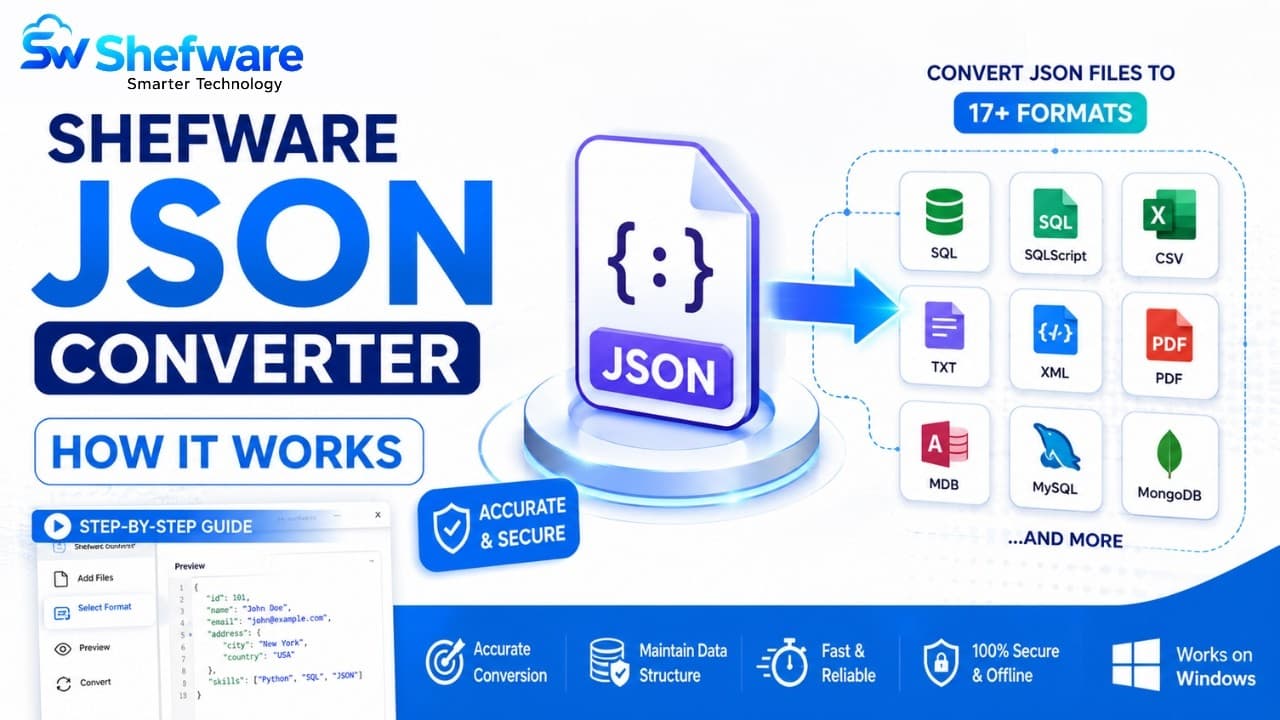
Convert JSON files into several output formats such as SQLScript, DB, XML, TXT, MDB, etc. Select the desired output format to convert the JSON files for easy access.
Convert multiple JSON Files into several output formats in a single conversion process using the Bulk JSON Converter software. This helps users to avoid selecting the JSON files individually and saves time.
Choose the Add Files or Add Folder option to upload individual JSON files or an entire folder containing multiple JSON files.
The desktop JSON Converter tool maintains the original structure and hierarchy of JSON data, such as keys, values, objects, and arrays organized throughout the conversion process.
Process complex JSON files with nested objects and arrays and ensure the data are accurate and remain well-organized after the conversion process.
Convert large JSON files without manually splitting the files into smaller and manageable files. The software processes the JSON files while ensuring data accuracy and original formatting.
View and read the selected JSON files before the conversion process. The tool enables you to check the data, records, and data structure to ensure the correct files are chosen.
The JSON Converter software processes and converts complex JSON data with nested objects, arrays, keys, and values while keeping the data properly organized.
JSON Files are usually converted to create clear and organized reports. This makes the business, applications, or any information easier to read, analyze, and share.
JSON data is complex and can be difficult to understand, especially for non-technical users. Once the JSON Files are converted into readable formats, the information can be easily viewed and accessed.
The JSON Formatter software converts product details, customer records, orders, and inventory information into suitable output formats for smooth reporting.
The JSON Files have nested information, objects, arrays, and multiple levels of data, which are converted while keeping the original folder structure and hierarchy and keeping the data intact.
The converted output files are accurate while maintaining the original data structure, hierarchy, and layout.
Use a reliable JSON Converter for Windows to process JSON files directly on the system. The software is compatible with Windows 10 and Windows 11.
Process and convert complex JSON data with nested objects, arrays, keys, and values while keeping the data properly organized.
Convert multiple JSON files together into different formats in a single process, while reducing manual effort and time with bulk JSON file converter software.
| Features | Free Trial | Professional Version |
|---|---|---|
| Add JSON Files | ||
| Add Complete Folder | ||
| Preview JSON Data | ||
| Batch JSON File Support | ||
| Multiple Export Formats | ||
| Select Destination Path | ||
| Preserve JSON Structure & Hierarchy | ||
| Process Nested JSON Data | ||
| Conversion Limit | 10 Records per File | Complete File |
| Full JSON Data Conversion |
Download JSON Converter for Windows offers 10 records of each selected file before the conversion process. This trial feature provides users with an opportunity to test and evaluate the complete conversion process before upgrading to the full version.
With JSON Converter App Download, users can:
Download the free demo version today and experience the seamless conversion process yourself.
Download Demo VersionAfter ShefwareJSONConverter.exe download and installation Open the software and click Add Files or Folder to browse and upload multiple JSON files at the same time.
Choose the specific JSON files to view and read before the conversion process.
Choose the output format from SQL Script, SQLite, DB, XML, PARQUET, YAML, DBF, CSV, etc.
Select the destination location to store the converted files.
Click Next to start the conversion process of the selected JSON files into multiple output formats.
Once the conversion process is completed, scan and review the file name, size, record count, and conversion status.
Watch our step-by-step video tutorial to understand how the software works and get started quickly.
Download Free Demo & Check System Requirements
Size: 45.00 MB
Version: 1.0.0.1
Hard Disk
500 MB space required
RAM
Minimum 4 GB RAM
Processor
Intel® Core™ 2 Duo CPU E4600 @ 2.40GHz 2.39GHz or above
Operating System - Windows 11, 10, 8.1, 8, 7, Vista, XP, 2000, 98, NT and 95 and Windows Server 2022, 2019, 2016, 2012, 2008 R2, 2008, 2003 R2, 2003
“The batch JSON Conversion tool handled complex JSON files with nested data smoothly. I use the tool to convert multiple files at once while keeping the original data structure organized and manageable.”
Data Engineer