Shefware Logo
Home
Office 365 MigrationImport PST to Office 365Exchange Online MigrationOneDrive MigrationEmail MigratorIMAP to Office 365Google Workspace to Office 365Google Drive to OneDrive
View All Products →

Services

Google Workspace to Microsoft 365 MigrationEmail ConversionOffice 365 MigrationTenant to Tenant MigrationCloud BackupTeams Migration

Solutions

Google Workspace to Microsoft 365 MigrationGoogle Drive to OneDrive MigrationOffice 365 MigrationEmail MigrationOffice 365 BackupIMAP BackupIMAP to Office 365SharePoint BackupEmail ConversionOST to PST ConverterPST SplitPST Password Recovery
More Products →

Platform

Microsoft 365Amazon Web Services (AWS)Microsoft AzureMicrosoft OutlookMicrosoft Exchange ServerGoogle WorkspaceGoogle Drive to OneDriveSharePointHCL Notes
Marketplace
About UsCareersReviewsSupportContact Us
+1 888 425 1161
ShefwareSmarter Technology

1316 Wall Street, Everett, WA 98201, USA

support@shefware.com
+1 888 425 1161

About

  • About Us
  • Careers
  • Privacy Policy
  • Refund Policy
  • Terms to Use
  • EULA

Solutions

  • Cloud Migration
  • Email Migration
  • Cloud Backup
  • Data Recovery
  • File Conversion
  • Free Tools

Partner

  • Partner Program
  • Affiliates
  • Resellers
  • Distributors

Resources

  • Blog
  • Knowledge Base
  • Case Studies
  • How To
  • FAQs
  • Downloads
DMCA Protected© 2026 Shefware. All rights reserved.
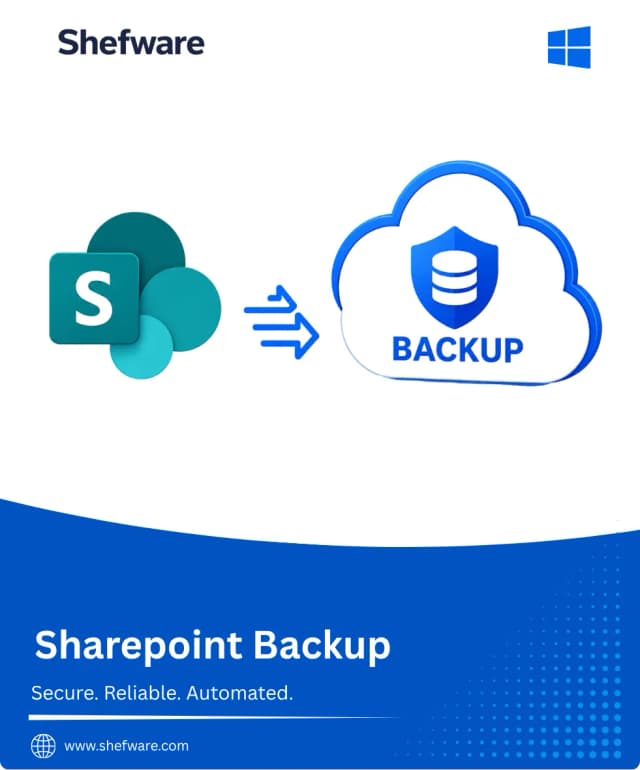
Shefware SharePoint Backup Tool

Shefware SharePoint Backup Tool

Secure important SharePoint data with the Shefware SharePoint Backup Tool. Back up complete or selected SharePoint sites, subsites, document libraries, folders, and documents to a local destination. Use hierarchy options, date-based filters, incremental backup, multiple-site backup, and scheduled backup capabilities to protect your SharePoint data efficiently.
Quick License Delivery - After completing your purchase, the activation key and software download instructions are automatically delivered to your registered email address. Activate the software and start protecting your SharePoint data with a guided backup workflow.
Personal License
$499
Buy Now
  • ✓Backup SharePoint Online sites and content.
  • ✓Choose Complete or Selective SharePoint Backup.
  • ✓Back up SharePoint sites, subsites, libraries, folders, and documents.
  • ✓Preserve folder structure with With Hierarchy or use Without Hierarchy.
  • ✓Apply date-based filters to select required SharePoint data.
  • ✓Select a custom local backup destination.
  • ✓Schedule SharePoint backup jobs.
  • ✓Perform incremental SharePoint backups.
  • ✓Create and manage backup jobs from the centralized dashboard.
  • ✓Backup reports and logs.
  • ✓Recurring backup jobs.
  • ✓Ideal for individual users and small-scale SharePoint backup requirements.
  • ✓1-Year License & Free Updates.
  • ✓1-Year Technical Support.
  • ✓30-Day Money-Back Guarantee.
Business License
$749
Buy Now
  • ✓Personal License Plan Included.
  • ✓Backup multiple SharePoint sites within a single backup job.
  • ✓Select specific SharePoint sites, subsites, libraries, folders, and documents.
  • ✓Use Complete Backup for broad SharePoint data protection.
  • ✓Use Selective Backup for specific SharePoint content.
  • ✓Apply date-based filters to control the data included in backup.
  • ✓Use Incremental Backup for subsequent backup operations.
  • ✓Schedule recurring SharePoint backup jobs.
  • ✓Select a preferred local backup destination.
  • ✓Review job settings before creating the backup job.
  • ✓Advanced backup job management.
  • ✓Centralized dashboard for backup job management.
  • ✓Backup reports and logs.
  • ✓Suitable for businesses and IT administrators managing multiple SharePoint sites.
  • ✓1-Year License & Updates.
  • ✓Priority Technical Support.
  • ✓30-Day Money-Back Guarantee.
Enterprise License
$1099
Buy Now
  • ✓Business License Plan Included.
  • ✓Backup multiple SharePoint sites within the same job.
  • ✓Supports Complete and Selective Backup options.
  • ✓Back up sites, subsites, document libraries, folders, and documents.
  • ✓Preserve SharePoint folder hierarchy or use a simplified non-hierarchical structure.
  • ✓Apply date-based filters to select required data.
  • ✓Enable Incremental Backup for subsequent backup operations.
  • ✓Configure scheduled backup jobs for recurring data protection.
  • ✓Select a customized local backup destination.
  • ✓Manage backup jobs and monitor activity through the dashboard.
  • ✓Advanced backup job management.
  • ✓Backup reports and logs.
  • ✓Centralized SharePoint backup management.
  • ✓Suitable for organizations managing multiple SharePoint environments.
  • ✓Organization-level SharePoint protection.
  • ✓Premium Technical Support.
  • ✓30-Day Money-Back Guarantee.

Features Comparison

Key Feature of SharePoint Backup Tool ToolPersonal LicenseBusiness LicenseEnterprise License
Connect Microsoft 365 Account✓✓✓
Backup SharePoint Sites✓✓✓
Backup SharePoint Subsites✓✓✓
Complete SharePoint Backup✓✓✓
Selective SharePoint Backup✓✓✓
Document Library Backup✓✓✓
SharePoint Folder Backup✓✓✓
SharePoint Document Backup✓✓✓
With Hierarchy / Without Hierarchy✓✓✓
Date-Based Filters✓✓✓
Incremental Backup✓✓✓
Scheduled Backup✓✓✓
Custom Local Destination✓✓✓
Backup Job Management✓✓✓
Review Backup Settings✓✓✓
Multiple Site Backup✗✓✓
Multiple Sites in a Single Job✗✓✓
Advanced Backup Job Management✗✓✓
Backup Reports & Logs✓✓✓
Recurring Backup Jobs✓✓✓
Centralized Dashboard✓✓✓
Designed for Individual Users✓✗✗
Designed for Small Businesses✗✓✗
Designed for IT Administrators✗✓✓
Designed for Multiple SharePoint Environments✗✗✓
Organization-Level SharePoint Protection✗✗✓

Payment Methods

AmericanExpress
ApplePay
Discover
Visa
MasterCard
Afterpay

Why Choose Us?

3M+

Clients Satisfaction

10+

Years of Experience

100+

Countries Visited

What do we prioritize?

✓User data safety
✓Constant Product Evolution
✓Money-back guarantee
✓24×7 Guidance & Support
After the payment is successful, the activation key and download information are automatically sent to your registered email ID.
Yes, the product is delivered instantly through email after successful payment.
Yes, we provide technical support with every license according to the selected license plan.