Compress PST File and Reduce Outlook PST File Size Easily
Compress oversized PST files with Shefware PST Compress Tool. Reduce PST file size by removing attachments and optimize Outlook data storage.
Reliable, secure and risk-free PST compression platform
Compress large Outlook PST files without any data loss.
Compress PST files offline without requiring an internet connection.
Supports both ANSI and Unicode PST files.
Preserves email formatting, metadata, and the original folder hierarchy.
Preview PST mailbox items before compression.
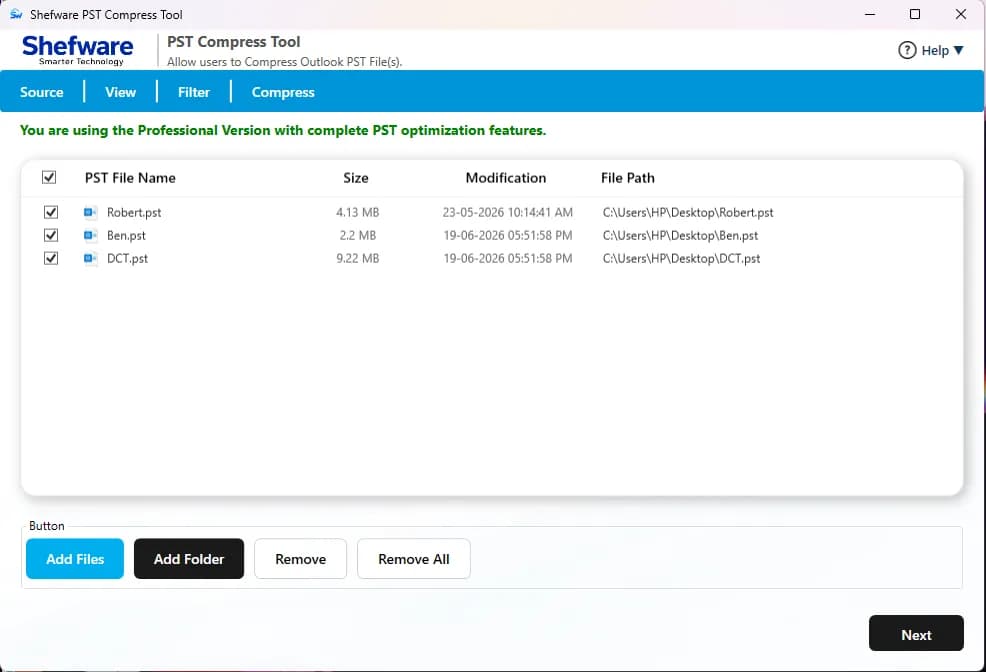
Compress a single PST file or multiple PST files simultaneously.
Compatible with all Microsoft Outlook and Windows versions.
Offers four different compression modes to reduce PST file size.
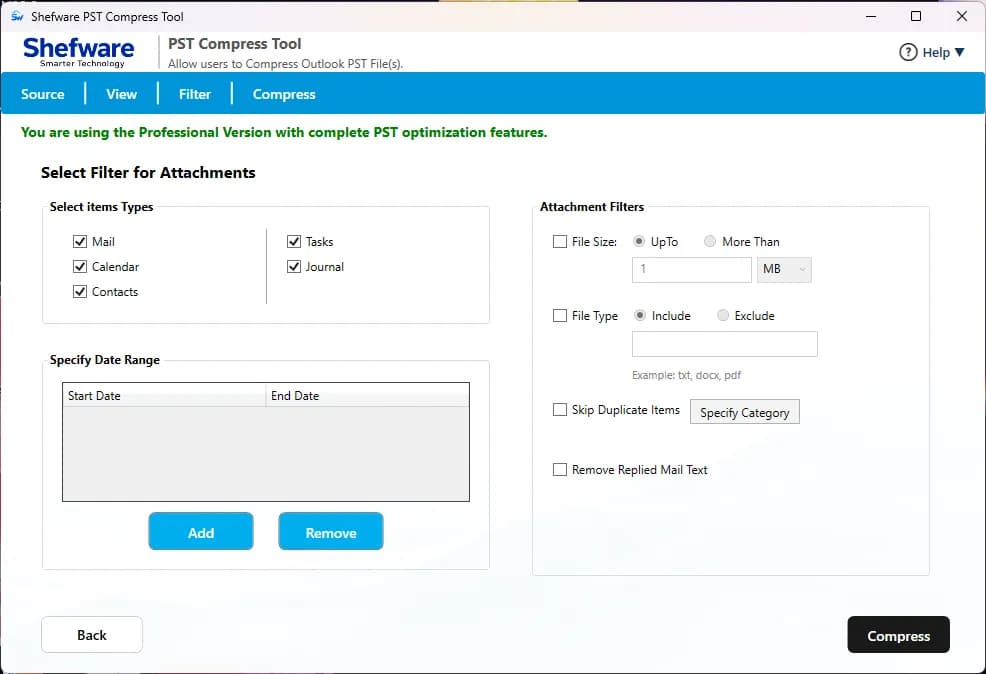
Apply advanced filters based on attachments, date, file size, file type, and duplicate items.
Exclude deleted items and Junk Email folders during compression.
Includes an option to remove duplicate emails.
The free version allows compression of up to 20 messages per folder.
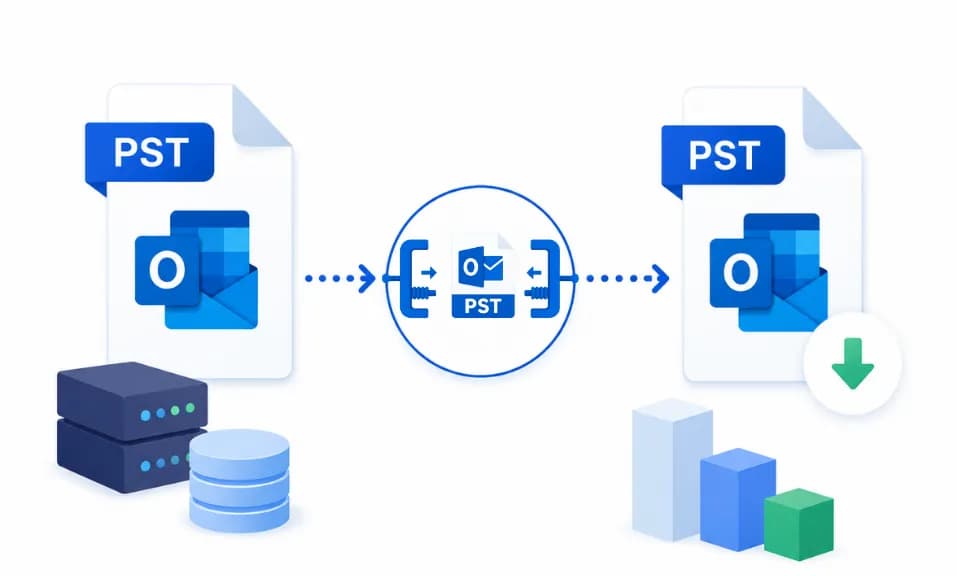
The big size PST files sometimes cause Outlook performance problems like slow startup, delayed searches, frozen mailbox, and application crash. Compression of PST files helps enhance efficiency.

The large PST files have important disk space and make the backup process more complex. Compacting PST files reduces storage requirements and simplifies the management of the mailbox.

Excessively large PST files are more prone to corruption and accessibility problems. Regular compression helps in maintaining PST health and steadiness.
Get familiar with the upgraded features of PST Compress and Compact software.
Limit the size of too-large PST files while saving emails, attachments, metadata, and folder structure. Enhance Outlook performance and storage space.
Compress various PST files into one PST file to save time and simplify mailbox management. Suitable for organizations managing large volumes of Outlook data.
Supports both PST file types, ANSI and Unicode, generated by Outlook versions. You can process any PST file without compatibility issues.
Feature of preview mailbox folders, emails, contacts, and attachments before beginning compression. This helps in verifying the selected data and ensuring accuracy.
Select from the four compacting modes, such as remove & compress attachments, remove & save attachments, remove attachments, and compress attachments.
Remove deleted emails and unnecessary mailbox data during the compression process. This helps in achieving PST size reduction and clean mailbox management.
Apply the filters based on attachments, date, file size, file type, skip duplicate data, and remove replied mail text filter to process only the needed filter.
Add multiple PST files or folders, or remove and remove all unwanted files before the precious. Manage PST files easily with an adaptable interface.
Remove & Compress | Remove & Save | Remove Attachments | Compress Attachments
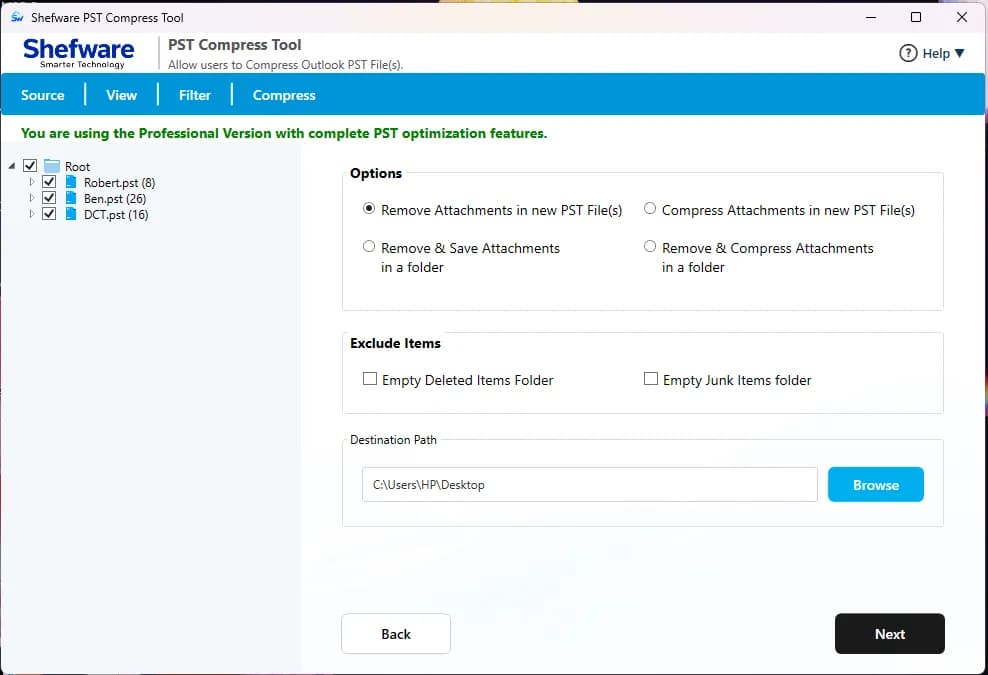
Removing email attachments and saving them in compressed format to importantly limit PST file size.
Extract attachments from PST files and save them to the preferred location.
Delete unwanted attachments from the Outlook emails to free up storage.
Compress huge attachments within the PST file without removing them.
Emails | Contacts | Calendar | Tasks | Journal | Notes
Email content and headers.
Download the tool and browse the PST files you want to compress and compact.
See emails, folders, contacts, calendars, and attachments before beginning the process.
Choose the attachment compression, compacting preference, and output settings as per your requirements.
Start the conversion process and save the enhanced PST file at the preferred location.
Limits the PST size and helps Outlook function more quickly and more effectively.
Simple and smooth interface developed for both IT professionals and beginners.
Preserve mailbox content while limiting storage consumption.
Assists PST files generated by all major Outlook versions.
Compress the PST files without altering the original mailbox content.
Maintains folder structure, metadata, email properties, and attachments during compression.
No corruption, data loss, or changes occur during the compact process.
Effectively limits PST size while making sure mailbox accessibility and performance.
Download Free Demo & Check System Requirements
Size: 60.73 MB
Version: 1.0.0.1
Hard Disk
500 MB space required
RAM
Minimum 4 GB RAM (Recommended 8 GB)
Processor
Intel(R) Core(TM) i3-4160 CPU @ 3.60GHz or above
Operating System - Windows 11 / 10 / 8.1 / 8 / 7 (32 & 64 Bit) , Window Server 2025 / 2022 / 2019 / 2016 / 2012 R2 / 2008 R2
Microsoft Outlook - 2021, 2019, 2016, 2013, 2010, 2007, 2003, 2000 (32-Bit & 64-Bit)
We had various oversized PST files causing Outlook performance problems. The Shefware PST compress and compact tool limits file size while maintaining all mailbox data.
IT Administrator
Shefware PST Compress and Compact Tool.
You can compress a PST file by utilizing a reliable PST compression tool like Shefware, which provides upgraded options to limit PST file size securely.
To reduce Outlook PST file size offline, use a PST compression tool that works without internet. It helps in optimizing mailbox files while preserving them.
The best PST compress and compact software should assist with large PST files, bulk processing, and advanced filters. Shefware provides all these features in one tool.
To compact large PST file, choose the PST file in the software, select a compact method, and begin the process.
Yes, Shefware offers a PST file compression tool free download version for evaluation. Users can test a software feature before buying the full version.
A PST Compactor software for Windows is developed to reduce Outlook PST file size by compressing attachments and compacting mailbox data while managing data integrity.