Split large PDF files and merge multiple PDF Files without data loss
Organize your PDF documents with ease using Shefware PDF Split and Merge Tool. Split big-sized PDF files into multiple smaller files or combine multiple PDF files into one document. It protects the original format, images, fonts, hyperlinks, bookmarks, and document format.
★ Free Download to manage 5 documents (PDF Split and Merge).
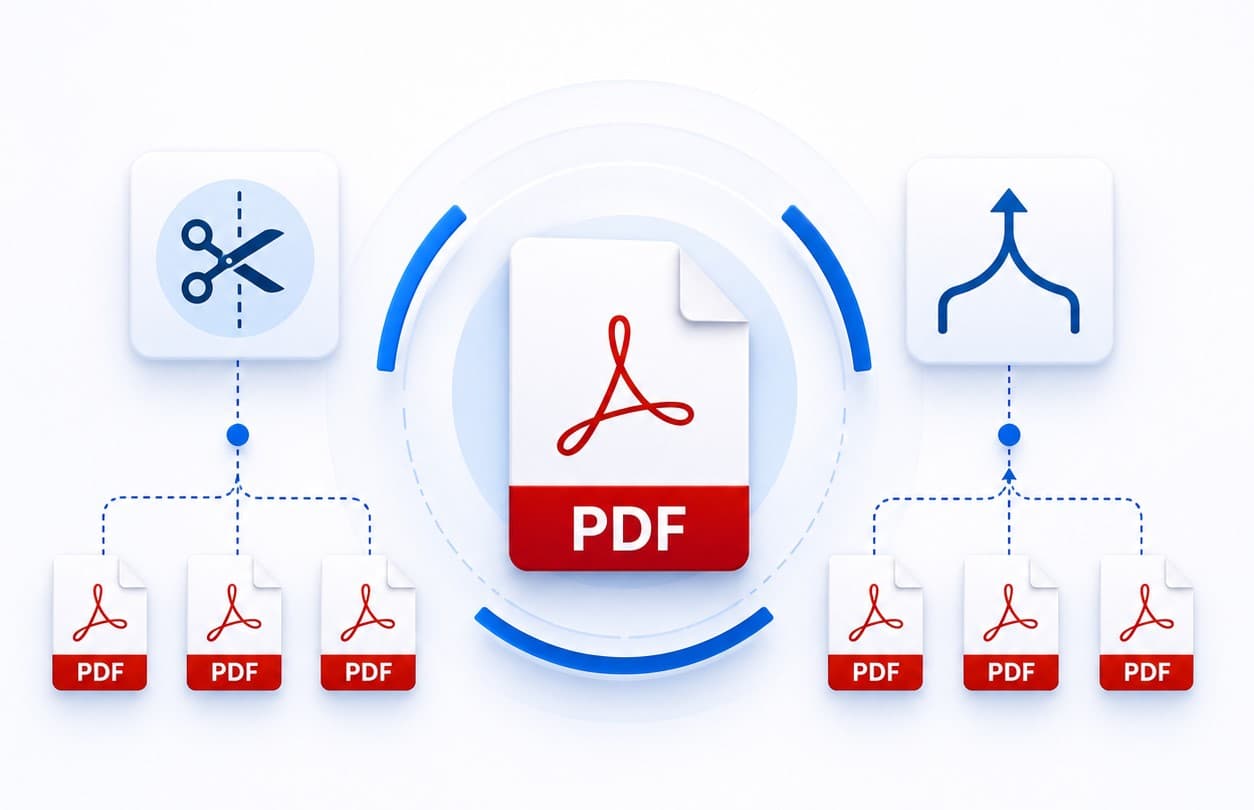
Split PDF files by page number, page range, odd pages, even pages, or every page.
Merge PDF files into one well-organized PDF.
Combine selected pages from different PDF files through the PDF merge tool.
Pdf Tool allow to exclude attachments from multiple pdf files.
Split PDF documents into separate pages.
Software allows splitting an Adobe PDF into multiple PDF files.
Provide the Preview feature after selecting PDF files.
Batch split and merge multiple PDF files simultaneously.
Preserve the original formatting, images, fonts, hyperlinks, and bookmarks.
Merge and split PDF to pages of Password-protected PDF files.
Supports large PDF documents without performance issues.
Secure offline processing with complete privacy.
Compatible with all Windows operating systems.
Free PDF Split and Merge Tool allows for free, 5 PDF file proceeds, and a watermark on every page.
PDF Split and Merge offers various options for arranging PDF documents as per your requirements.
Large-size PDF documents are not easy to share, store, and manage. Easily divide long reports, eBooks, manuals, invoices, or presentations into small PDF files for smooth access and sharing.
Working with multiple PDF documents can become confusing. Combine PDFs into one PDF, like contracts, invoices, project reports, proposals, presentations, and scanned documents, into one organized PDF for simple document management.
Email platforms sometimes restrict attachment sizes. Split large PDF documents into smaller files to meet email attachment size limits while maintaining document quality.
Make every PDF function with complete confidence using the PDF Preview feature. Unlike many traditional PDF split and merge tools, Shefware PDF Split and Merge Tool lets you preview your PDF documents before processing them. Verify page order and review document content, all from one interface.
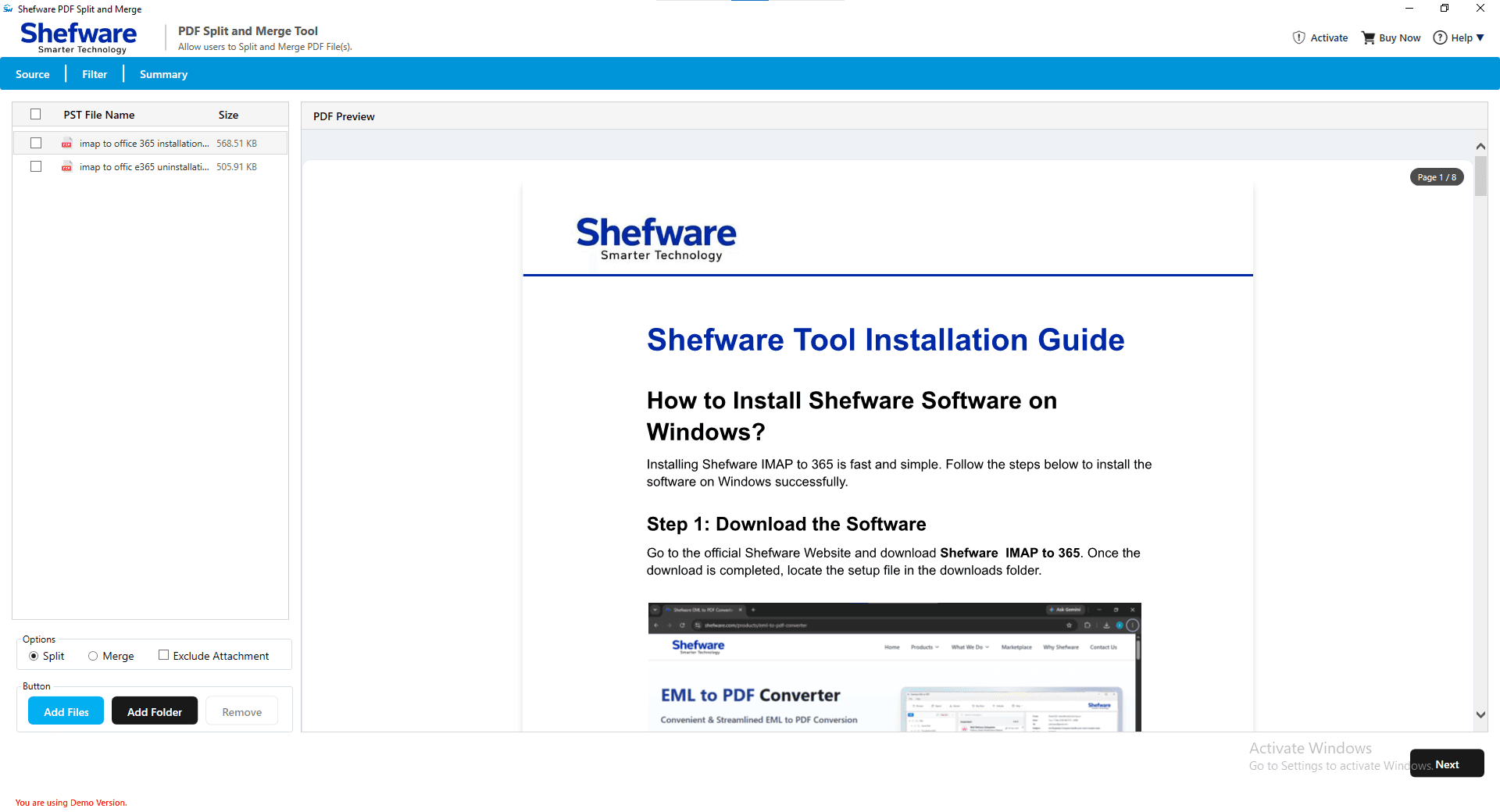
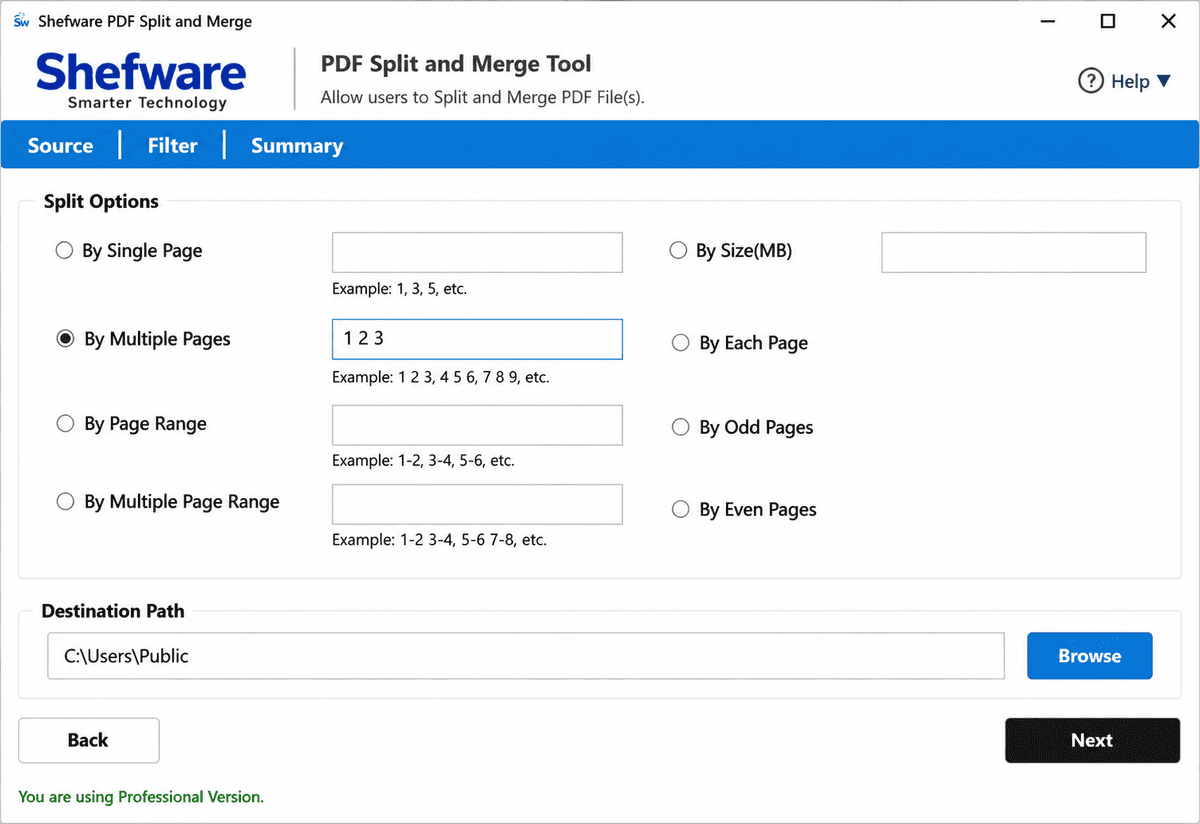
Easily split PDF documents using flexible options based on your specific needs. If you need to separate every page, split by a page range, or extract selected pages, the tool provides complete control over your PDF files.
Combine multiple PDF documents into a single organized PDF while preserving the original document quality. The PDF combiner allows you to merge complete documents or pages without changing the formatting.
Preview every page before splitting or merging your PDF documents. Review the document layout, verify page sequence, and select the exact pages you want to process without opening a separate PDF reader.
Work with secured PDF documents without any difficulties. The software allows you to split or merge password-protected PDF files after entering the password, making it easy to organize confidential business documents while maintaining document security.
Reduce file size by excluding embedded attachments while splitting or merging PDF documents. This feature helps create lightweight PDF files without impacting the main document content.
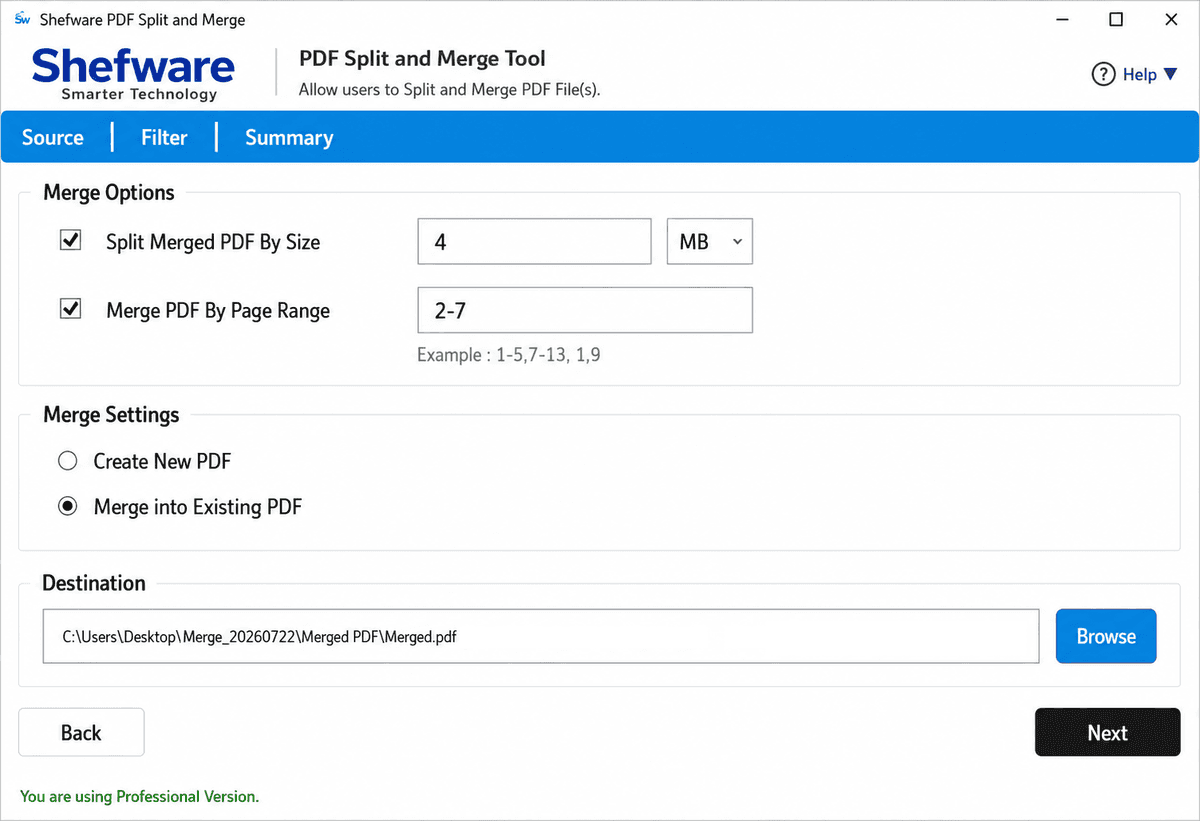
Require only specific pages from multiple PDF files? Merge selected page ranges rather than combining complete documents. Generate customized reports, contracts, presentations, or project files by selecting only the pages you need.
Organize PDF documents as per the file size requirements. Split large PDF files into smaller sizes for smooth storage, quick uploads, or email sharing, while controlling the size of merged PDF documents.
Merge various PDF documents in a single function. Simply add multiple files or folders and let the tool combine them automatically, saving valuable time and reducing manual effort.
Download and open the Shefware PDF Split and Merge Tool. Choose either Split or Merge. You can also enable the Exclude Attachment option if needed.
Click Add Files or Add Folder to import PDF documents. The software shows the file name and size and allows you to preview each PDF before processing.
Choose your preferred Split PDF or Merge PDF option, configure the required settings, and start the process.
Click Browse and choose the folder where the processed PDF files will be saved.
Click Next to begin the process. After completion, view the output summary with the file name, size, status, and destination path.
A standalone application that runs all PDF functions independently. There is no need to install Adobe Acrobat or any other software, permitting to start splitting and merging PDF files instantly after installation.
We combine powerful PDF Split and PDF Merge functionalities into a single software, helping you to organize, split, and merge PDF documents from one interface.
The software is developed to run smoothly on all Windows operating systems, containing Windows 11, Windows 10, Windows 8.1, Windows 8, and Windows 7.
Your documents remain completely the same throughout the splitting and merging process. The software preserves the original formatting, fonts, images, hyperlinks, bookmarks, page layout, and document structure.
| Features | Free Version | Professional Version |
|---|---|---|
| Split PDF Files | ✓ | ✓ |
| Merge PDF Files | ✓ | ✓ |
| Preview PDF Before Processing | ✓ | ✓ |
| Split PDF by Page Number, Range, Odd & Even Pages | ✓ | ✓ |
| Merge PDF by Page Range | ✓ | ✓ |
| Split & Merge PDF by File Size | ✓ | ✓ |
| Split & Merge Password-Protected PDF Files | ✓ | ✓ |
| Exclude PDF Attachments | ✓ | ✓ |
| Batch PDF Merge | ✓ | ✓ |
| Manual Destination Selection | ✓ | ✓ |
| Supports Large PDF Files | ✓ | ✓ |
| Maximum PDF Files per Operation | 5 PDF Files | Unlimited |
| File Size Limitation | Limited | No File Size Limit |
| Watermark on Output PDF | Yes | No |
| Technical Support | Limited | Priority Support |
| License Validity | Trial | Lifetime License |
Download Free Demo & Check System Requirements
Size: 230 MB
Version: 1.0.0.1
Hard Disk
1 GB space required
RAM
Minimum 4 GB RAM (Recommended 8 GB)
Processor
Intel® Core™ 2 Duo CPU E4600 @ 2.40GHz 2.39GHz or above
Operating System - Windows 11, 10, 7(64 bit), Windows Server 2025
Prerequisites - .NET Framework 10
Our legal department works with long agreements and case files. Shefware PDF Split and Merge Tool helped us organize large PDFs into manageable sections while preserving every page exactly as the original. Also reduced the time spent preparing legal documents.
Legal Consultant