Shefware Logo
Home
Office 365 MigrationImport PST to Office 365Exchange Online MigrationOneDrive MigrationEmail MigratorIMAP to Office 365Google Workspace to Office 365Google Drive to OneDrive
View All Products →

Services

Google Workspace to Microsoft 365 MigrationEmail ConversionOffice 365 MigrationTenant to Tenant MigrationCloud BackupTeams Migration

Solutions

Google Workspace to Microsoft 365 MigrationGoogle Drive to OneDrive MigrationOffice 365 MigrationEmail MigrationOffice 365 BackupIMAP BackupIMAP to Office 365SharePoint BackupEmail ConversionOST to PST ConverterPST SplitPST Password Recovery
More Products →

Platform

Microsoft 365Amazon Web Services (AWS)Microsoft AzureMicrosoft OutlookMicrosoft Exchange ServerGoogle WorkspaceGoogle Drive to OneDriveSharePointHCL Notes
Marketplace
About UsCareersReviewsSupportContact Us
+1 888 425 1161
ShefwareSmarter Technology

1316 Wall Street, Everett, WA 98201, USA

support@shefware.com
+1 888 425 1161

About

  • About Us
  • Careers
  • Privacy Policy
  • Refund Policy
  • Terms to Use
  • EULA

Solutions

  • Cloud Migration
  • Email Migration
  • Cloud Backup
  • Data Recovery
  • File Conversion
  • Free Tools

Partner

  • Partner Program
  • Affiliates
  • Resellers
  • Distributors

Resources

  • Blog
  • Knowledge Base
  • Case Studies
  • How To
  • FAQs
  • Downloads
DMCA Protected© 2026 Shefware. All rights reserved.
Shefware Google Drive to OneDrive Migration Tool

Shefware Google Drive to OneDrive Migration Tool

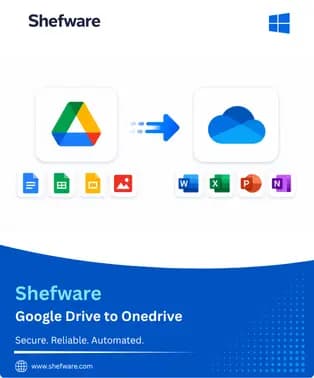
Migrate Google Drive files and folders directly to Microsoft OneDrive while maintaining the original folder hierarchy and data structure. Purchase the Shefware Google Drive to OneDrive Migration Tool to migrate multiple Google Drive accounts, transfer complete or selected data, apply filters, schedule migration jobs, and perform incremental migration without manually downloading and uploading files.
Once your purchase is completed, the activation key and download instructions are automatically sent to your registered email address. Activate the software and start your Google Drive to OneDrive Migration without delay.
Personal License
$249
Buy Now
  • ✓Migrate Google Drive files and folders to Microsoft OneDrive.
  • ✓Perform complete or selective data migration.
  • ✓Preserve the original folder and subfolder hierarchy.
  • ✓Migrate Google Docs, Sheets, Slides, PDFs, images, and documents.
  • ✓Apply date filters to migrate required data.
  • ✓Select a target OneDrive folder for migrated data.
  • ✓Perform incremental migration to transfer newly added data.
  • ✓Retry failed or skipped migration items.
  • ✓Generate detailed migration reports and logs.
  • ✓1-Year License & Free Updates.
  • ✓1-Year Technical Support.
  • ✓Up to 2 Windows PCs.
  • ✓30-Day Money-Back Guarantee.
Business License
$499
Buy Now
  • ✓Includes all Personal License features.
  • ✓Licensed for commercial and business use.
  • ✓Migrate multiple Google Drive user accounts to OneDrive.
  • ✓Perform bulk Google Drive to OneDrive Transfer.
  • ✓Map source Google Drive users to destination OneDrive accounts.
  • ✓Migrate large volumes of business data.
  • ✓Schedule migration jobs according to business requirements.
  • ✓Run incremental migration to avoid duplicate data transfer.
  • ✓Monitor migration progress through detailed reports.
  • ✓Retry failed or skipped items without restarting the complete migration.
  • ✓1-Year License & Updates.
  • ✓1-Year Priority Technical Support.
  • ✓Up to 10 Windows PCs.
  • ✓30-Day Money-Back Guarantee.
Enterprise License
$899
Buy Now
  • ✓Includes all Business License features.
  • ✓Designed for large-scale Google Drive migration projects.
  • ✓Migrate multiple Google Drive accounts to respective OneDrive accounts.
  • ✓Suitable for enterprise and large organizational migrations.
  • ✓Perform complete and selective migration at scale.
  • ✓Premium technical assistance.
  • ✓Priority product updates.
  • ✓Unlimited system activations within the organization.
  • ✓Lifetime License.
  • ✓Lifetime Software Updates.
  • ✓Premium Priority Support.
  • ✓30-Day Money-Back Guarantee.

Features Comparison

Key Feature of Google Drive to OneDrive Migration Tool ToolPersonal LicenseBusiness LicenseEnterprise License
Google Drive to OneDrive Migration✓✓✓
Complete & Selective Migration✓✓✓
Preserve Original Folder Hierarchy✓✓✓
Google Docs, Sheets & Slides Migration✓✓✓
PDF, Image & Document Migration✓✓✓
Date-Based Migration Filters✓✓✓
Target Folder Selection✓✓✓
Incremental Migration✓✓✓
Scheduled Migration✓✓✓
Failed Item Retry✓✓✓
Migration Reports & Logs✓✓✓
Multiple Google Drive Account Migration✗✓✓
Bulk User Migration✗✓✓
Source-to-Destination User Mapping✗✓✓
Commercial Use✗✓✓
Large-Scale Enterprise Migration✗✗✓
Free Software Updates1 Year1 YearLifetime
Technical Support1 YearPriorityPremium Priority
System ActivationUp to 2 PCsUp to 10 PCsUnlimited
License Validity1 Year1 YearLifetime
Money-Back Guarantee30 Days30 Days30 Days

Payment Methods

AmericanExpress
ApplePay
Discover
Visa
MasterCard
Afterpay

Why Choose Us?

3M+

Clients Satisfaction

10+

Years of Experience

100+

Countries Visited

What do we prioritize?

✓User data safety
✓Constant Product Evolution
✓Money-back guarantee
✓24×7 Guidance & Support
The detailed license key and directions will be provided to you within 30 mins of the purchase. If it is not available within the said time, you can directly reach out to the contact support.
Yes, absolutely, to activate the product, users are required to have a stable internet connection.