Shefware Logo
Home
Office 365 MigrationImport PST to Office 365Exchange Online MigrationOneDrive MigrationEmail MigratorIMAP to Office 365
View All Products →

Services

Google Workspace to Microsoft 365 MigrationEmail ConversionOffice 365 MigrationTenant to Tenant MigrationCloud BackupTeams Migration

Solutions

Office 365 MigrationEmail MigrationOffice 365 BackupIMAP BackupIMAP to Office 365SharePoint BackupEmail ConversionOST to PST ConverterPST SplitPST Password Recovery
More Products →

Platform

Microsoft 365Amazon Web Services (AWS)Microsoft AzureMicrosoft OutlookMicrosoft Exchange ServerGoogle WorkspaceSharePointHCL Notes
Marketplace
About UsCareersReviewsSupport
Contact Us
ShefwareSmarter Technology

1316 Wall Street, Everett, WA 98201, USA

support@shefware.com
+1 888 425 1161

About

  • About Us
  • Careers
  • Privacy Policy
  • Refund Policy
  • Terms to Use
  • EULA

Solutions

  • Cloud Migration
  • Email Migration
  • Cloud Backup
  • Data Recovery
  • File Conversion
  • Free Tools

Partner

  • Affiliates
  • Resellers
  • Distributors

Resources

  • Blog
  • Knowledge Base
  • Case Studies
  • How To
  • FAQs
  • Downloads
DMCA Protected© 2026 Shefware. All rights reserved.

Shefware MSG to PDF Converter

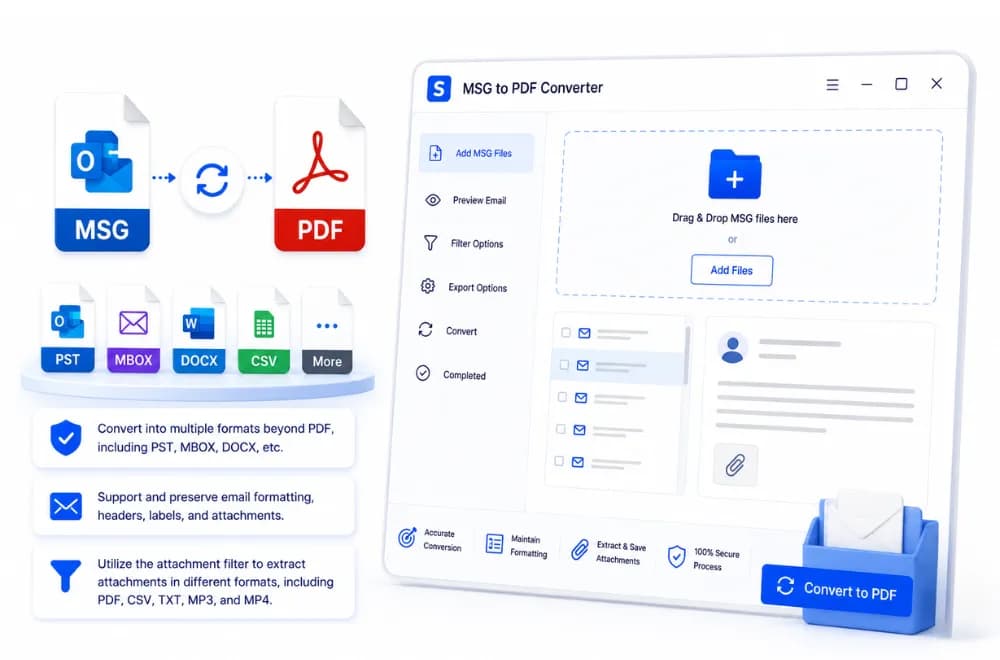
Convert into multiple formats beyond PDF, including PST, MBOX, DOCX, etc.

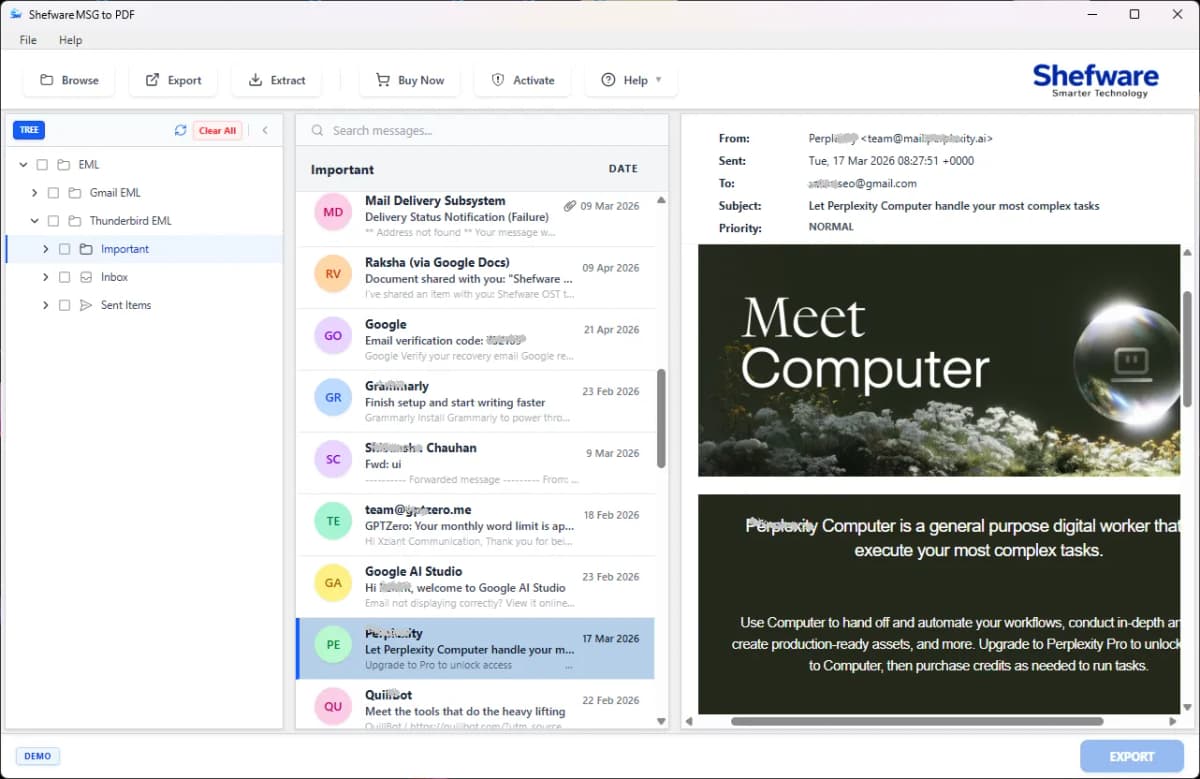
Enables conversion of Microsoft Outlook MSG files into PDF documents, including emails, labels, and headers, and extracts attachments enabling users to convert MSG to PDF without Outlook. Use our tool on all versions of Windows and Mac Operating Systems.

Free Download

★ MSG to PDF Converter Tool Fully Secured Download Version
MSG to PDF Converter
How it Works
Video

Key Highlights of MSG to PDF Converter

Office 365 Backup Software
Enables the MSG File conversion into various email formats such as PDF, PST, EML, and MBOX, etc.
Compatible with all versions of Windows and Mac Operating Systems
Our tool converts MSG files, emails, contacts, calendars, tasks, notes, etc., to PDF
Our tool features a date filter that enables the conversion of multiple MSG files to PDF within a specific date range.
Our tool enables you to adjust page layout, including margins, paper size, headers, and footers, before conversion
We provide an attachment filter on the extract tab, which consists of include and exclude attachments, enabling users to choose their attachments in the desired format.
Our attachment filter includes attachment formats such as PDF, CSV, TXT, MP3, and MP4, etc.
Our tool enables users to open, share, and archive the files
Additional features include Indexing Numbers and Date Labels to arrange and organize the converted folders
We provide the feature of combining all the MSG files into one PDF Folder
Our Demo Version supports up to 50 conversions per folder
Our tool includes meta data report, which includes selected folders and the total items in the folder

What Makes Shefware MSG to PDF Converter Safe & Secure

To give a safe and protected experience of converted PDF folders, we ensure:

File Saved Locally

The Converted PDF File is safely stored on the local devices, which restricts the data transfer and safely retains all the sensitive data in the system.

Verified Software

Our Software is verified by SSL.com, a certifying authority, which certifies that Shefware provides an authentic and protected MSG to PDF Software.

Preserves email hierarchy and layout

Our tool preserves and maintains the mailbox data in the original email hierarchy and layout. It also maintains the folder structure after conversion, ensuring no changes are made to the original data.

Primary Features of the Shefware MSG to PDF Software

Our Shefware MSG to PDF Tool offers various features, including:

Bulk MSG to PDF Converter

Enables users to convert large MSG files with a large amount of data into PDF format.

Batch Mode Support

Users can save Outlook emails as PDF in batch mode and convert them at once, rather than manually selecting them one by one.

Demo Version

Our MSG to PDF Converter offers 50 conversions per folder in our trial version, which lets users try out our tool before purchasing.

Attachment Filter

Our Attachment filter enables the user's option to include and exclude the attachment formats, ensuring that only selected attachments are displayed after extraction.

Archiving MSG Files

Our tool allows you to save and archive Outlook emails as PDFs, which can be accessed without any data loss.

Conversion Without Outlook

We enable users to convert MSG files into PDF without any Outlook installation, ensuring the process is simple and quick.

Single PDF Combination

Our tool offers the feature to combine all MSG emails into a single PDF file. This feature will create a single PDF File will be created for each folder.

Secure & Reliable Conversion

Our Software ensures complete data integrity of users while maintaining the original structure and data within the user systems.
Types of Data Converted

To
From
Subject
CC
BCC
Date
PDF
CSV
TXT
MP3
MP4
Inbox
Outbox
Sent
Junk Email
Draft
Deleted Folders
Shefware Mailbox Directory Conversion Structure

How does Shefware MSG to PDF Work?

Shefware follows a simple and organised way of executing the conversion process, which features:

Step 01

Download Shefware MSG to PDF Converter

  • Download and install the MSG to PDF Software into the system for Windows/Mac
Step 02

Browse File

  • Open the application and click on the browse tab, and select the particular folder that you want to convert.
  • Once selected, our metadata report will represent the selected folder and items in the folder (total number in both).
Step 03

Preview Folders & Files

  • Select any specific files to preview once before conversion.
Step 04

Preview

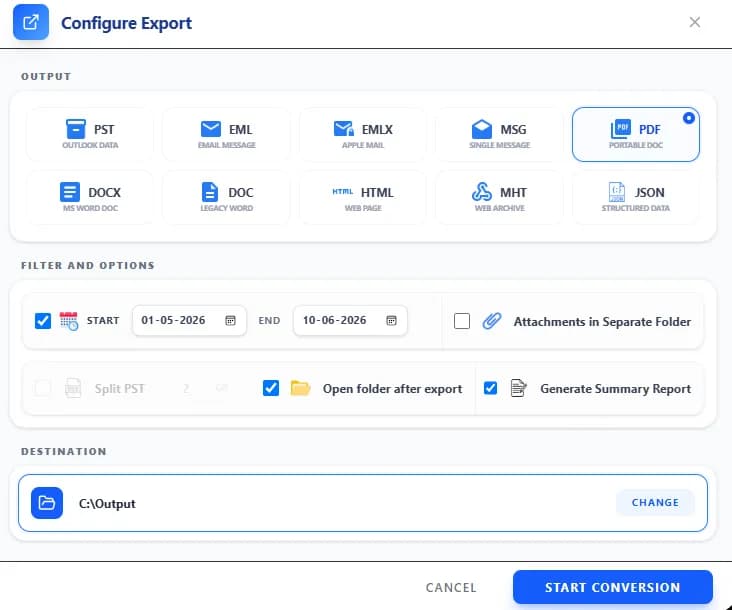
  • Click on Filter & Export, which brings users to a new dashboard where they have to select a particular export format. Choose the PDF format to convert MSG. However, users can select other formats to convert MSG.
Step 05

Click on Filter & Export

  • Click on Select Destination where you want to store the converted PDF folders and files.
Step 06

Click on Target Path

  • Finally, click on Next Step and click on Start Conversion
  • Post Conversion, go to the destination folder where the converted folder is stored
  • Verify and validate the accuracy of the converted PST files.
!

Note: Extract Attachment

To extract the attachments, users have to click on the extract option.

Users have to use the filter extensions they want to include and exclude from PDF, CSV, TXT, MP3, and MP4, etc.

Technical Specifications

Download Free Demo & Check System Requirements

Software Download
Download Now

Size: 121 MB

Version: 1.0.0.1

System Requirements

Hard Disk

10 GB space required

RAM

Minimum 4 GB RAM (Recommended 8 GB)

Processor

Intel(R) Core(TM) i3-4160 CPU @ 3.60GHz or above

Operating System - Windows 11 / 10 / 8.1 / 8 / 7 (32 & 64 Bit) , Window Server 2025 / 2022 / 2019 / 2016 / 2012 R2 / 2008 R2

Microsoft Outlook - 2021, 2019, 2016, 2013, 2010, 2007, 2003, 2000 (32-Bit & 64-Bit)

Software Guides
How to WorkInstallationUninstallationEULA

What Our Clients Say

View Reviews

“Shefware MSG to PDF Tool has made our email restoration very simple. The tool has removed the workload where we do not have to do anything manually.”

Daniel Harris

IT Manager

Frequently Asked Questions

Ans. Ans. Shefware MSG to PDF Converter is a desktop version of the software, which enables conversion of MSG files into PDF format

Ans. Ans. Yes, Shefware supports batch conversion, where all the files are converted at once, rather than manually converting one by one.

Ans. Ans. Yes, we offer a demo version of all the tools for the users. We normally offer 50 conversions per folder. But users are requested to contact the team for more details.

Ans. Ans. Yes, we provide the option to include or exclude the conversion of attachments. Users can easily control the type of attachments they want to convert by specifying the desired file extensions.

Ans. Ans. Users can reach out to us through our official website by using the contact number or email ID. Users can even fill out the forms with their detailed queries related to the MSG to PDF Converter tool.