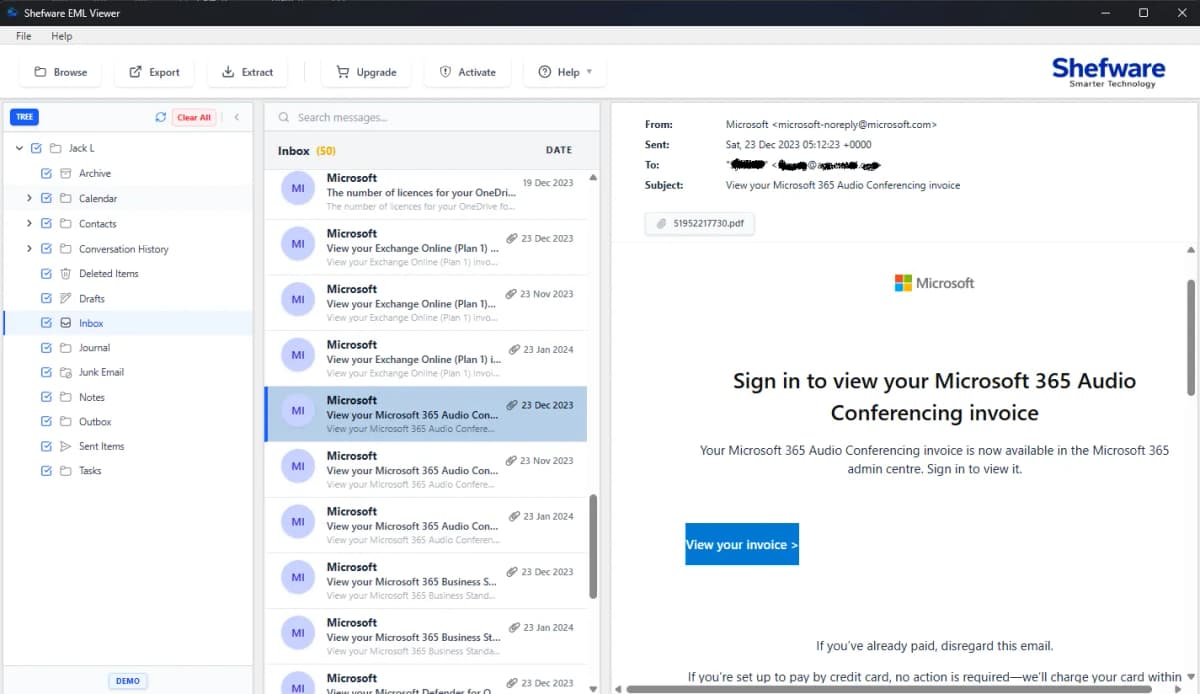
Best EML Viewer to Open, Read and View EML Files
EML Viewer helps you open, read, and view EML files quickly. Access EML emails, messages, and attachments with a simple and reliable EML file viewer.
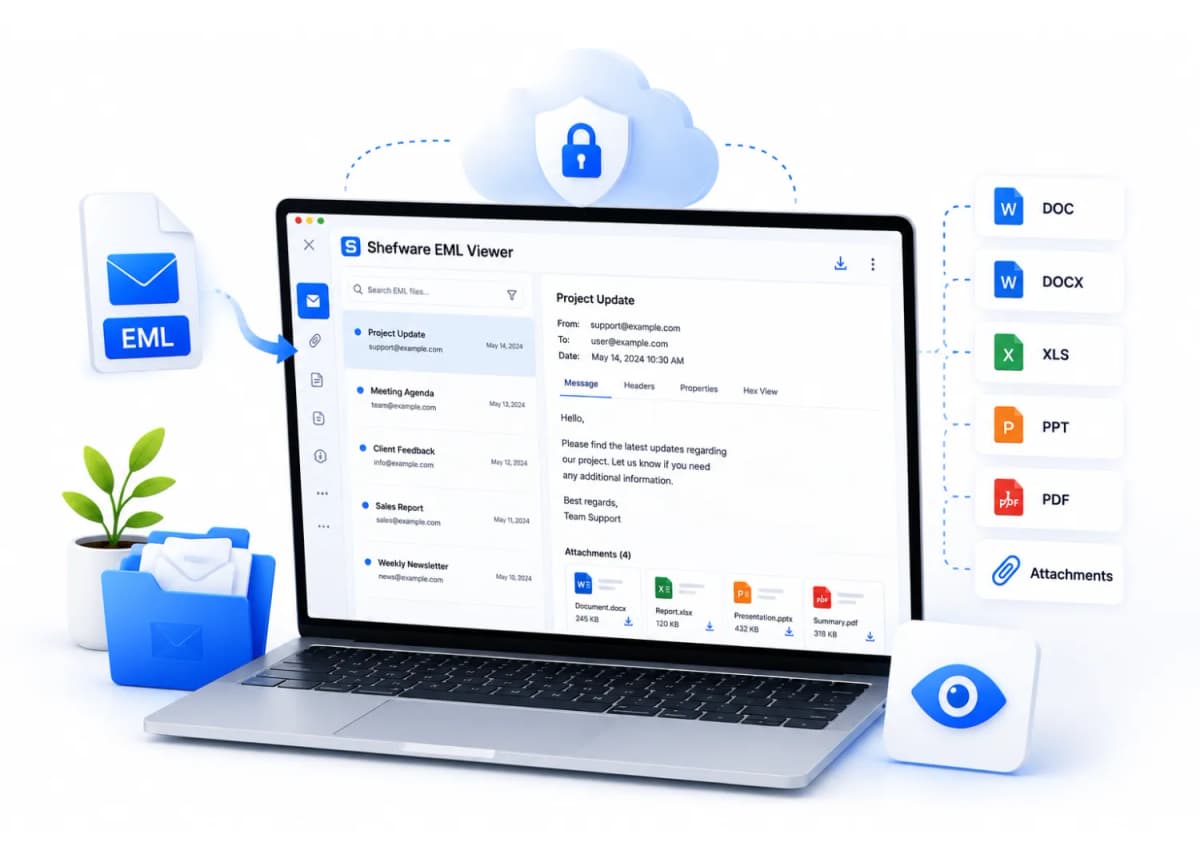
Allows view EML files without email client.
Open EML file without Outlook.
Automatically locate and load EML Emails directly to the software.
Showing EML emails with attachments on all the platforms.
Open and read various files without any size limitations.
Supports EML files generated within all email platforms.
Preview Email Files with all formats and metadata.
Provides an advanced search feature on the dashboard.
Easily display large-file-size emails and attachments without any network issues.
Offer the preview of Non- English & Unicode Characters in the EML Files.
Accessing EML files without an EML-supported email client is challenging. Using the EML viewer is a dependable way to open and read EML file data.
With the help of a tool, users can see details of each EML file, containing to, from, subject, email text, and attachments.
You can select to save all EML files into various file formats to access them. The entire process is simple, effective, and safe.
Stores the EML files temporarily on the server. The files get removed automatically after processing.
The system processes the files in a safe and secure environment, protecting the data from being leaked.
All the files are secured with upgraded SSL encryption, making sure about the EML files stay protected.
We do not access, analyze, or share your email data with third parties.
Feature of EML Previewer with attachments. The users can simply see EML message attachments like DOC, DOCX, XLS, and PPT.
Allow the user to see EML files related to different email clients, such as Opera Mail, Windows Live Mail, Thunderbird, etc.
The users can read EML files without any problems. When the user selects EML files, the software automatically loads EML files in the folder.
Gives users access to users to open and preview multiple files at one time. You can load complete folders and browse them effectively without any kind of slow performance issue in the tool.
Features an advanced search option where users can search for specific EML files for seamless upload.
Supports EML file viewing for multiple Email clients, user dont need to install any email clients to view them.
Enables the preview of complete EML Emails, including the Email Headers, layout in the original Email Hierarchy.
Supports both non-English languages and Unicode characters for easy and convenient viewing of EML Files from anywhere in the world.
Go to the website and click on EML file viewer free download windows. Once it gets downloaded, install the software and follow the instructions.
Choose one or several EML files, including EML mailbox data. The tool offers a large upload capacity, allowing you to upload large volumes of email files at once.
When the files get included, press Scan. We will analyze the EML files and their elements, such as attachments, data, and content.
After scanning is finished, EML files will be shown in an organized structure. You can even discover emails in mail preview mode.
Read EML files offline, quickly and efficiently, without needing any email client installation.
Open and view large EML files seamlessly without any performance bottlenecks.
View EML files locally. No data is uploaded to external servers, and no internet is required.
Access email attachments along with the message content in a single, unified interface.
Download Free Demo & Check System Requirements
Size: 121 MB
Version: 1.0.0.1
Hard Disk
500 MB space required
RAM
Minimum 4 GB RAM
Processor
Intel(R) Core(TM) i3-4160 CPU @ 3.60GHz or above
Operating System - Windows 11 / 10 / 8.1 / 8 / 7 (32 & 64 Bit) , Window Server 2025 / 2022 / 2019 / 2016 / 2012 R2 / 2008 R2
Microsoft Outlook - 2021, 2019, 2016, 2013, 2010, 2007, 2003, 2000 (32-Bit & 64-Bit)
The Shefware Free EML Reader is quick, dependable, and works amazingly both online and offline. It also manages the huge emails without any problem.
IT Manager
Yes, the free EML file viewer desktop is fully compatible with all versions of Windows and the Mac Operating System. Supports Windows from the previous to the current version, as well as Mac Operating Systems.
No, you don't have to install any email client; it supports all email clients and enables the preview of the EML Files smoothly.
Yes, absolutely, it is designed with a user-friendly interface, which is easier to navigate for both technical and non-technical users. Users can rely on Shefware tool to preview their EML files smoothly.
Yes, the tool supports different languages to read, which makes it accessible for all users worldwide.
Yes, offers an advanced search feature where users can search for specific EML Files that they want to preview.
No, the EML Viewer tool for the desktop offers unlimited file size, which allows users to open and view large EML Files seamlessly.
Yes, Tool previews the email layout, body, and attachments, email headers including the sender, receiver’s address, subject, and date.
The tool supports all the major email clients such as Thunderbird, Apple Mail, Eudora, Opera Mail, Web Mail, etc.
EML Viewer tool is designed to provide an accurate and reliable preview of the structured EML Files. Currently, it does not support the preview of damaged files, ensuring that users receive error-free results.
Yes, absolutely, the desktop version of the EML Viewer tool is designed to ensure data integrity and privacy. Users can safely preview EML files locally on the system without transferring any data to others. This ensures that user data is safely previewed on the user's system.